Digitize work instructions in production: Apply current standards directly at the workplace
Digital work instructions reduce search times by up to 35%, lower error rates, and deliver SOPs, checklists, and quality standards directly to the production line. That’s how the transition succeeds.
Contents
Digitalizing Work Instructions in Production: Current Standards Right at the Workplace
Work instructions are the backbone of any manufacturing operation — but only if the current version is available at the right moment. In many production facilities, SOPs, checklists, and quality specifications are still stored in paper binders, network drives, or email attachments. Around 80% of production employees work without a PC workstation and have no access to the intranet or file servers. It is precisely for these non-desk workers that Weslink GmbH from Coesfeld has developed Kibi Connect — a digital hub that delivers work instructions, knowledge, and communication directly to smartphones. Without media discontinuity, without version chaos.
Why are analog work instructions a problem in production?
Outdated or inaccessible documents cause errors, rework, and safety risks. A study by the Fraunhofer IPT shows that production employees spend an average of 30 minutes per shift searching for information — that’s about 6% of their working time.
Production managers and quality managers are familiar with the symptoms: the current version of an SOP is unclear, changes don’t reach the night shift in time, new employees rely on verbal explanations, and important documents are only available in the office or on a specific PC. According to a survey by produktion.de involving 500 manufacturing companies, 52% of respondents state that outdated work instructions regularly lead to quality deviations.
This means: every outdated instruction at the workplace is a potential error.
What are the benefits of digital work instructions?
Companies that provide work instructions digitally reduce search times by up to 35% and measurably lower error rates. The benefits become apparent in four core areas.
Version security: When instructions are maintained centrally, only one current version exists. Outdated printouts and file copies become a thing of the past. Fast access: Employees find standards directly at their workplace via smartphone — without detours through the office, inquiries, or folder searches. Better onboarding: New employees get up to speed faster when checklists, instructions, and processes are structured and available digitally. Companies with digital onboarding processes shorten training time by an average of 25% (Haufe Onboarding Study 2025). Less reliance on key individuals: Documented processes reduce dependency on individual experienced employees — a crucial factor in times of skilled labor shortages and high turnover.
What content should be included in digital work instructions?
All documents employees need to perform their tasks correctly — from SOPs to maintenance checklists. Depending on the production environment, different content is relevant:
- Standard Operating Procedures (SOPs) and procedural instructions
- Machine and setup instructions with images or videos
- Quality inspections and approval processes
- Safety briefings and hazardous substance information
- Checklists for maintenance, cleaning, or shift start
- Forms, inspection reports, and internal templates
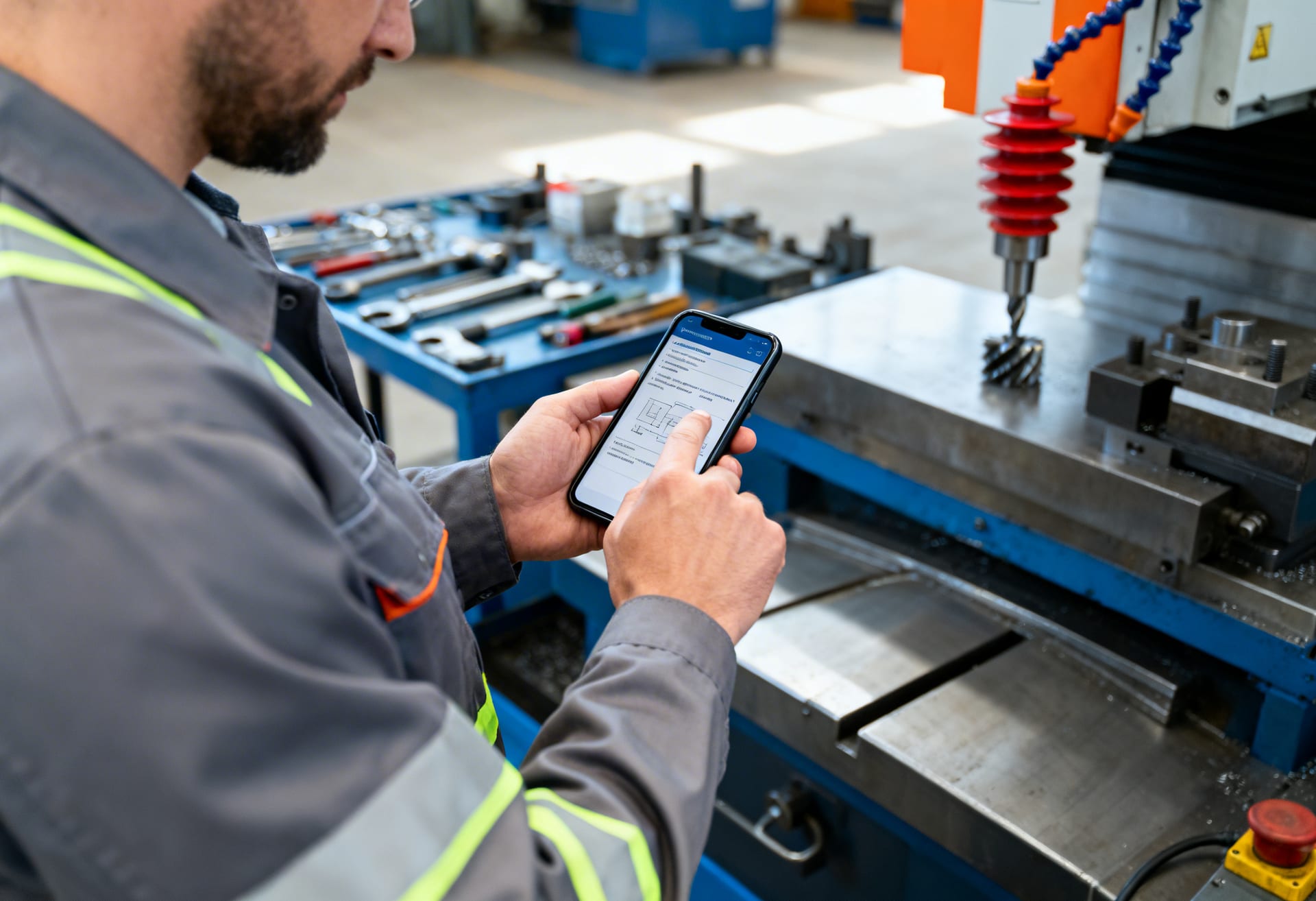
What matters is not that these documents are stored digitally somewhere. They must be available where work is performed — on the assembly line, at the machine, in the warehouse.
What requirements must a solution for digital work instructions meet?
It must function on mobile devices, be easy to maintain, and connect documents with communication. Plant managers and quality managers repeatedly report that systems that can only be operated by the IT team remain unused.
Five criteria are decisive. First: the solution must be available on mobile devices or directly at the workplace — 80% of the target group do not have a PC. Second: content must be clearly structured and searchable so employees can find what they need in seconds. Third: updates must be quick and possible without an IT project. Fourth: production managers must be able to maintain content themselves — this saves weeks of lead time. Fifth: documents and communication must not be in separate systems, otherwise new information silos will form.
“Digital work instructions only work if they reach employees in their daily work. The best SOP is useless if the employee at the machine can’t find it in three clicks.” — Stephan Killich, Fraunhofer IPT, on knowledge management in production
How does Kibi Connect support digital work instructions?
Kibi Connect consolidates work instructions, communication, and tasks on one platform — specifically designed for non-desk workers in production. The solution from Weslink GmbH combines three components that are typically separate in classic systems.
Centralized knowledge in a wiki: Work instructions, standards, and internal notes can be stored in a structured knowledge base — searchable, versioned, and accessible directly on smartphones. Visible communication of changes: When standards are updated, changes can be pushed directly to affected teams, shifts, or departments — with read confirmation. This way, the quality manager knows who has been informed. Clarifying questions in context: Questions about an instruction arise where the instruction is located. According to McKinsey, this can save up to 20% of daily time spent searching for information. Accelerated onboarding: New employees gain access to all relevant processes, documents, and contacts — from day one.
Find out more about how Kibi Connect supports operational teams in production: Employee platform for production.
How to successfully introduce digital work instructions?
Start with a focused pilot project and gradually roll out — don’t digitalize everything at once. Five best practices from practice:
- Start with critical documents: Begin with the 10-20 most frequently used work instructions — not with the entire inventory.
- One single current version: Maintain each instruction in only one location. Consistently eliminate duplicates in folders and emails.
- Assign responsibility: Every document needs a content owner who approves updates.
- Link documents: Connect work instructions with inquiries, tasks, and notes — so no new silos form.
- Provide where work is done: If the app isn’t usable on the assembly line, digitalization remains an office project.
Conclusion: Digital work instructions are a direct lever for quality and efficiency
Companies that provide work instructions digitally reduce search times, lower error rates, and significantly relieve production teams. The numbers speak for themselves: 35% less search time, 25% faster onboarding, measurably fewer quality deviations due to outdated documents.
Above all, digitalization creates a more reliable foundation for operational collaboration — especially in companies with shift work, high turnover, or growing compliance requirements. Learn more about the industry solution for production and shift work or test Kibi Connect for free.
Next step
Set up internal communication professionally
Want to replace WhatsApp chaos and reliably reach all non-desk workers? We show you in a live demo how Kibi Connect is introduced in production, care and retail operations.
Related articles
03/11/2026
Employee platform for production: Connect with all shifts—no email chaos.
A production employee platform that reliably delivers shift information, safety alerts, and tasks to all employees.
03/19/2026
Digitize shift handover in production: Fewer queries, more transparency
Digital shift handovers reduce information loss by up to 30%. Production companies use Kibi Connect to digitalize the handover between early, late, and night shifts.
03/04/2026
Photos from the construction site: Why construction site photos should be documented digitally
Construction site photos are only valuable if they are searchable and correctly assigned to the relevant project. Craft businesses can digitally document construction site photos in a secure and structured way using Kibi Connect from Weslink GmbH.