
Vehicles
Run your fleet directly in Kibi Connect — master data, safety inspections and assignments in one mobile-ready, audit-safe module.
Fleet, assignments and inspection duties live directly inside Kibi Connect — no more Excel and workshop folders.
Drivers, dispatch and workshop work on the same data, also mobile on site.
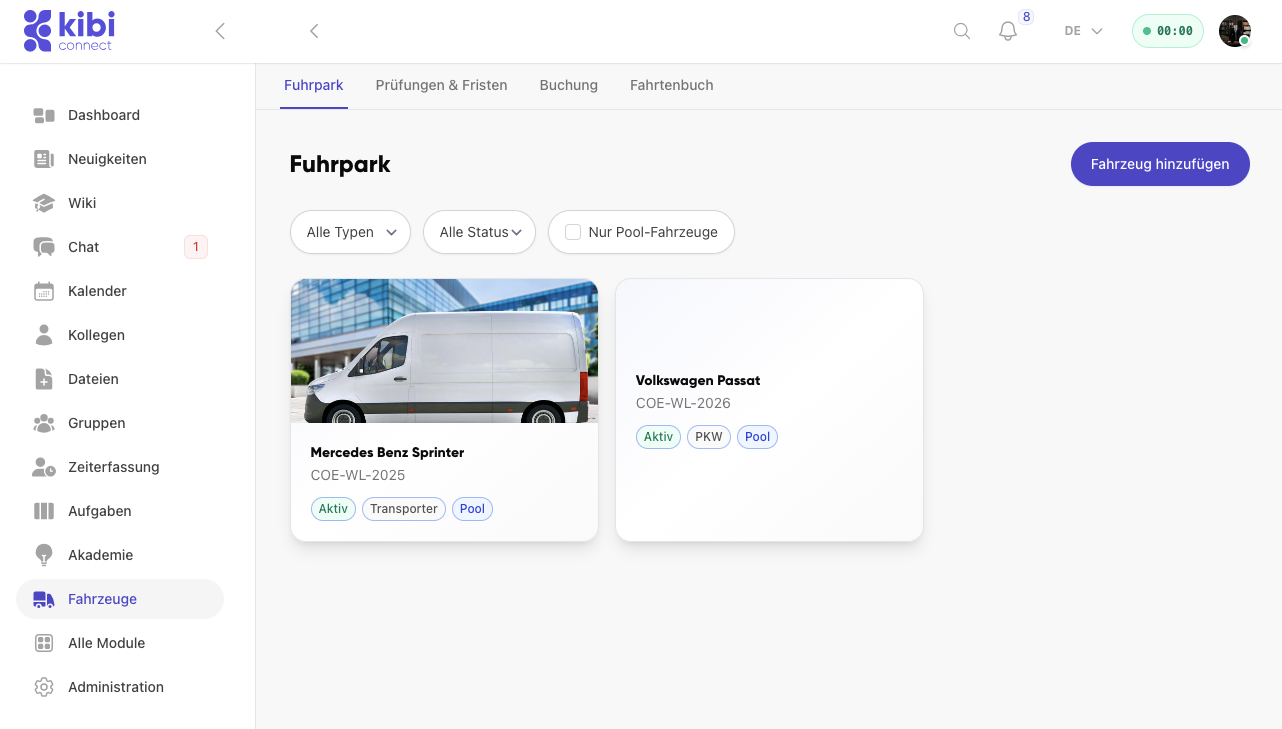
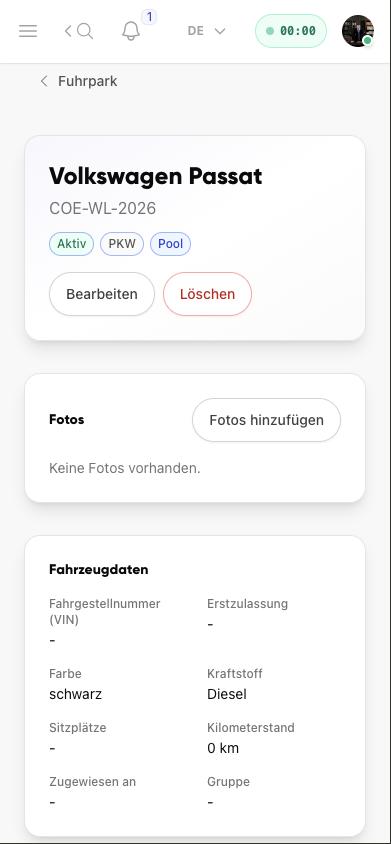
How do I manage all vehicle data centrally?
All master data, photos and vehicle details stay available directly on the individual vehicle record.
- See licence plate, vehicle type and status directly on the vehicle
- Document photos and notes without a separate system
- Maintain mileage, colour, fuel type and assignments centrally
- Keep vehicle details available on mobile for teams and admins
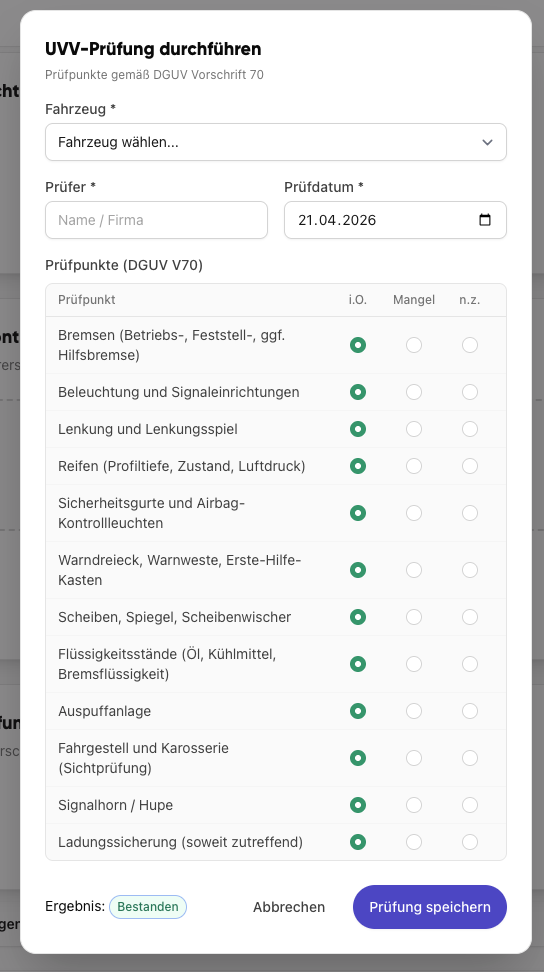
How do I keep safety inspections and maintenance under control?
Safety inspections are completed directly in the module, rated and saved with a result.
- Work through inspection points based on DGUV regulation 70
- Document inspector and inspection date directly
- Make defects visible immediately during the check
- Save results in a traceable, audit-safe way
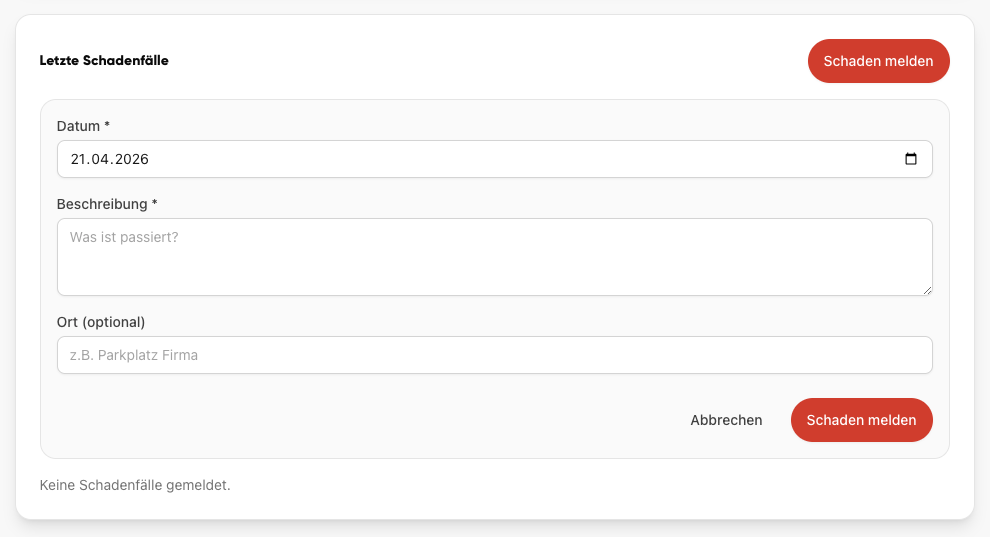
How do teams document damage directly in the workflow?
Damage cases are captured directly inside the fleet module and become visible to the team without back and forth.
- Record date, description and location directly in the form
- Send damage reports to admin and workshop without a media break
- Document new incidents immediately in the vehicle context
- Keep damage documentation traceable inside the fleet module
From the founder
The vehicle folder wanders between workshop, accounting and driver — and someone asks at year-end when the next inspection is due. A module in the same platform solves that without extra software.
Frequently asked questions
Frequently asked questions about Vehicles
What vehicle data can I store in the module?
Licence plate, vehicle type, VIN, insurance, leasing or purchase details, location and assigned drivers. Dates for inspection, safety check, maintenance and tyre change are kept with reminders. Photos and receipts attach directly to the vehicle.
How do I meet safety inspection obligations in a legally sound way?
Safety check dates (DGUV V70) and maintenance intervals are stored per vehicle. Deadlines appear on time as a task for the responsible person. Completed inspections are documented audit-safe with date and result.
How do dispatchers plan vehicle assignments?
Assignments are planned at the vehicle and synced to the calendar. Drivers see the assignment in their calendar and receive push notifications on changes — without Excel and shout-based dispatching.
Can drivers report damage on mobile?
Yes. Damage, fuelling and workshop visits can be logged directly in the app — with photo, odometer reading and a short note. Workshop and accounting see the entry immediately.
Is the module mobile and offline-ready?
Yes. Vehicle details, entries and reports work fully on mobile for iOS and Android. Offline entries sync as soon as the connection returns.
Try Kibi Connect free
See Vehicles directly inside the app and evaluate how Kibi Connect can support your organisation.