Dashboard
The dashboard combines news, tasks, appointments and relevant modules into a personal starting screen — configurable per role and instantly available on smartphone, tablet and desktop.
The dashboard combines news, tasks and appointments in one personal starting point.
Employees see what matters for their role and day without searching across multiple tools.
Get a faster overview
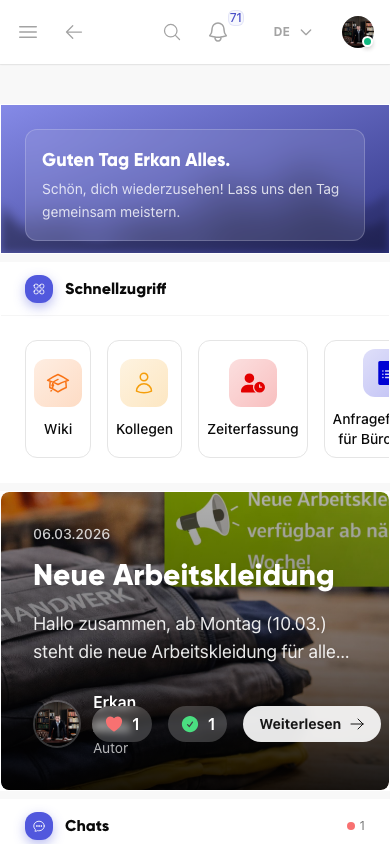
Important updates, open tasks and relevant items appear directly on the start screen.
- See current priorities at a glance
- Jump into tasks and groups faster
- Start the day with less searching
Manage start pages centrally
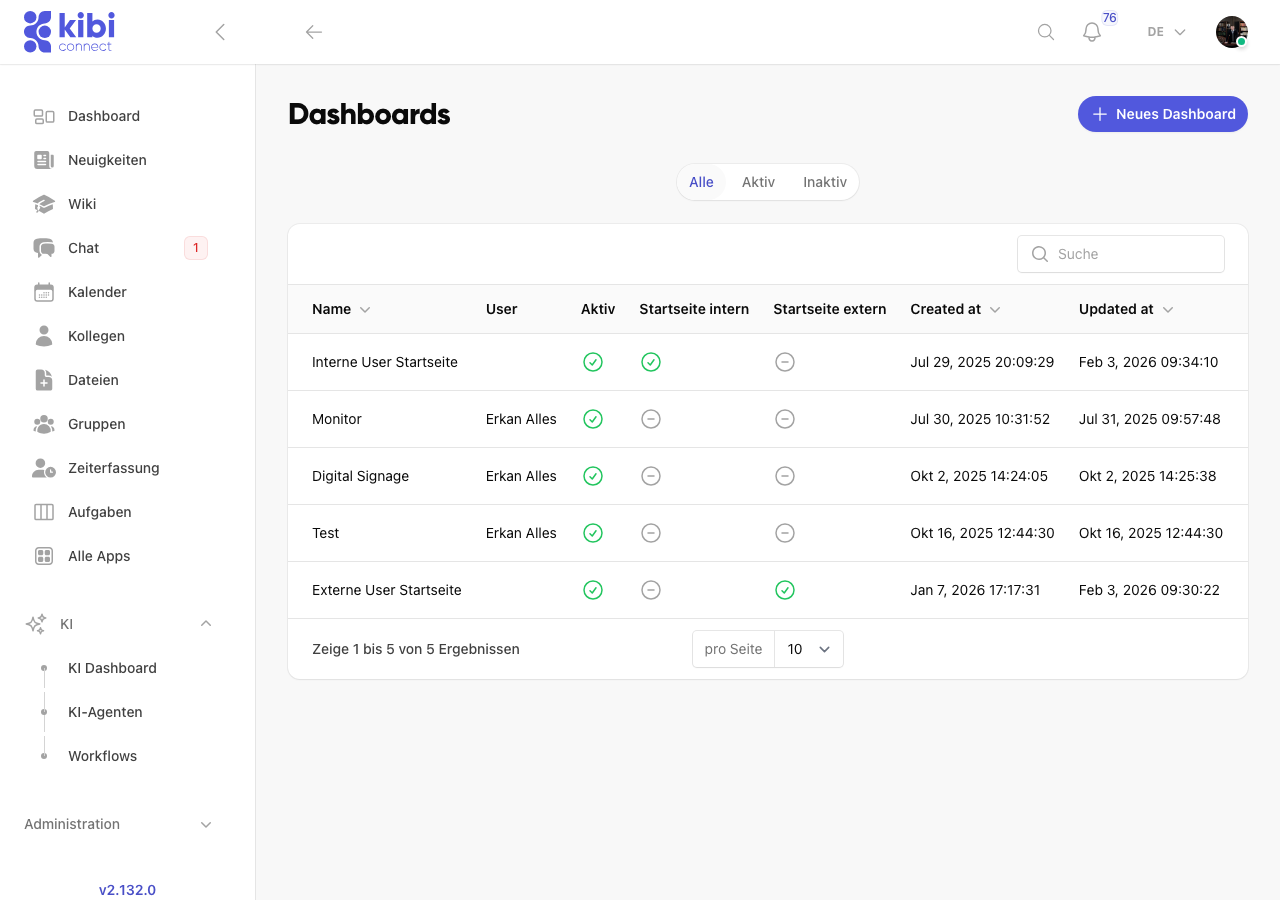
Dashboards can be managed centrally and assigned to internal or external start pages.
- Separate internal and external start pages cleanly
- Review active dashboards quickly
- Control structure and relevance centrally
From the founder
If every morning you hop between three tools just to see what is going on today, you have already lost. The dashboard should capture exactly that moment when a shift lead switches on their phone and knows: these things matter today.
Frequently asked questions
Frequently asked questions about Dashboard
Can the dashboard be customised per role or team?
Yes. Administrators can define per role which modules, content and links appear on the dashboard. A shift lead sees different content than a site manager, an office colleague or an external contractor. Everyone gets exactly what matters for their workday.
Can I embed external tools and web applications in the dashboard?
Yes. URLs to ERP systems, time tracking tools, customer portals or other applications can be added as tiles on the dashboard. Kibi Connect becomes the central entry point for all digital tools, so employees don't have to remember multiple URLs.
How does the dashboard work on a smartphone?
The view is fully mobile-optimised. On the phone, employees see the most important news, open tasks and upcoming appointments right after opening the app — without navigating through menus. Ideal for a quick check before the shift starts.
Can I create separate dashboards for internal and external users?
Yes. You can define multiple dashboard variants and assign them to roles. External partners only see the content released for joint collaboration, while internal employees see their full dashboard with all relevant features.
Try Kibi Connect free
See Dashboard directly inside the app and evaluate how Kibi Connect can support your organisation.