Time Tracking
Time Tracking in Kibi Connect records working hours directly in the app — mobile, transparent and compliant with the European Court of Justice ruling on mandatory time tracking.
Track working hours directly in Connect.
Time entries stay transparent, simple and integrated into daily work for better project visibility and internal reporting.
That keeps time tracking closer to the work context teams already use.
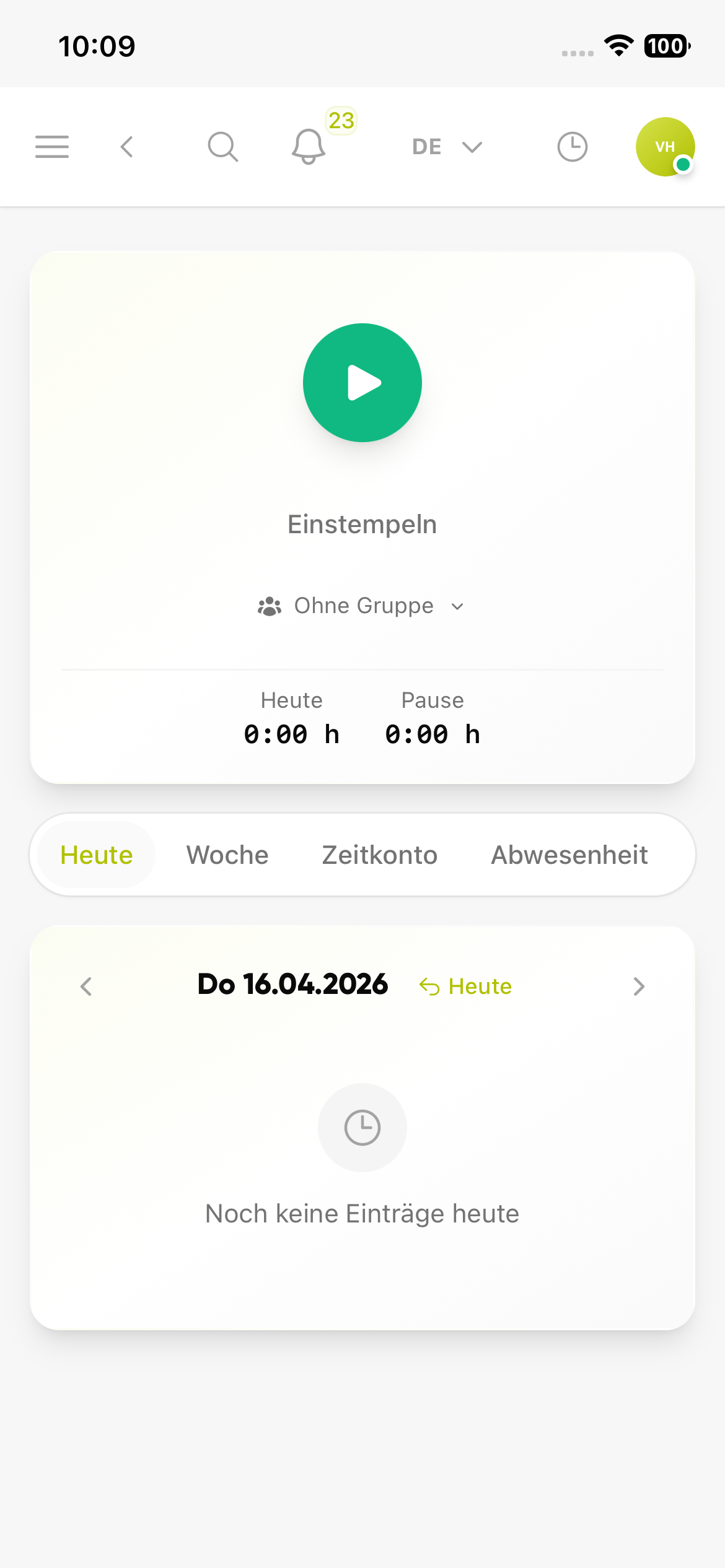
Start time tracking with one tap
The start view shows immediately when no entry is running and where employees begin tracking.
- Start tracking directly from Connect
- Jump to today, week, time account and absence quickly
- No separate app required for the first step
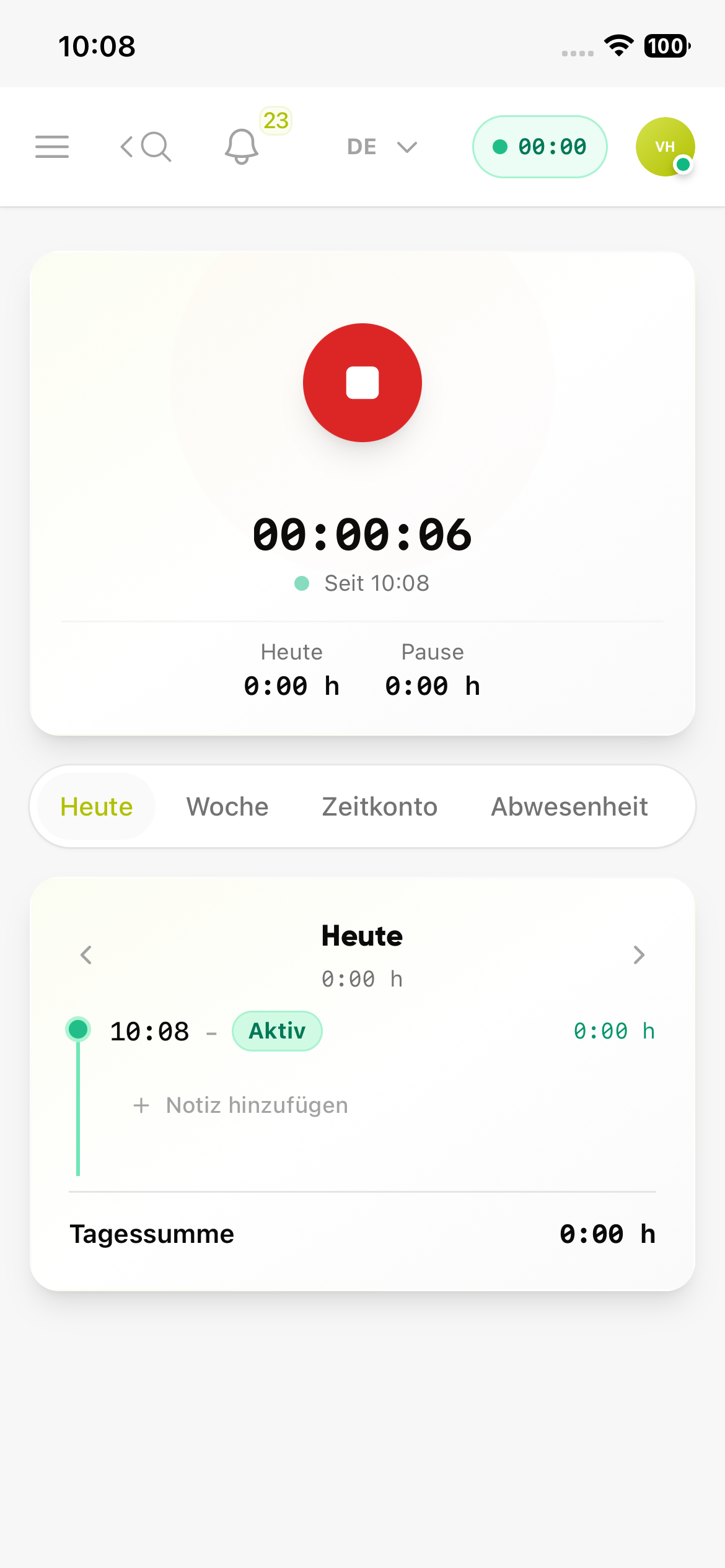
See the running entry and daily totals
Once time tracking is active, the current status, start time and totals for the day remain visible.
- Keep the active timer and duration in view
- Check daily hours and breaks without searching
- Add notes or entries directly where needed
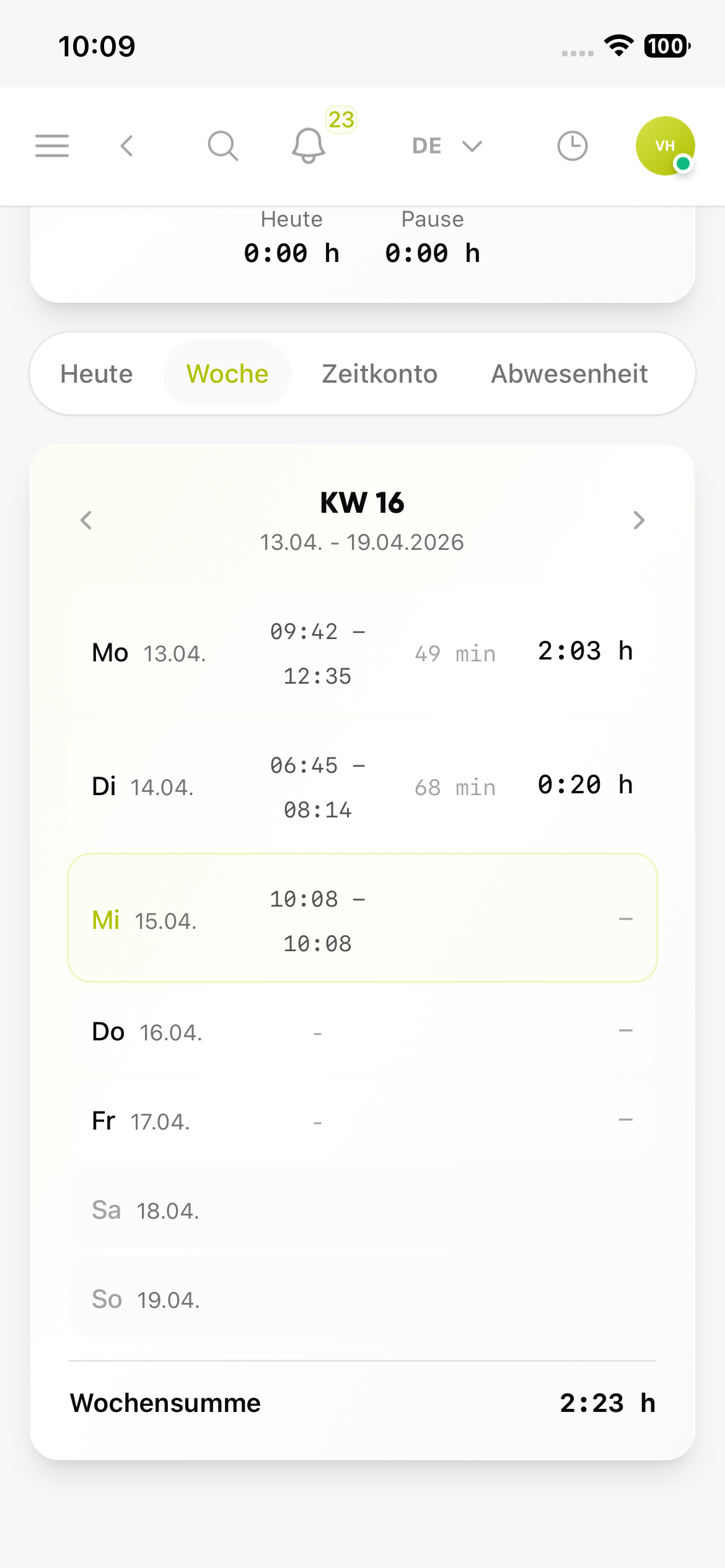
Review the week and totals clearly
The weekly view combines recorded days, breaks and the total sum in one overview.
- Review tracked days across the week
- See breaks and hours per day clearly
- Use the weekly total for internal reporting
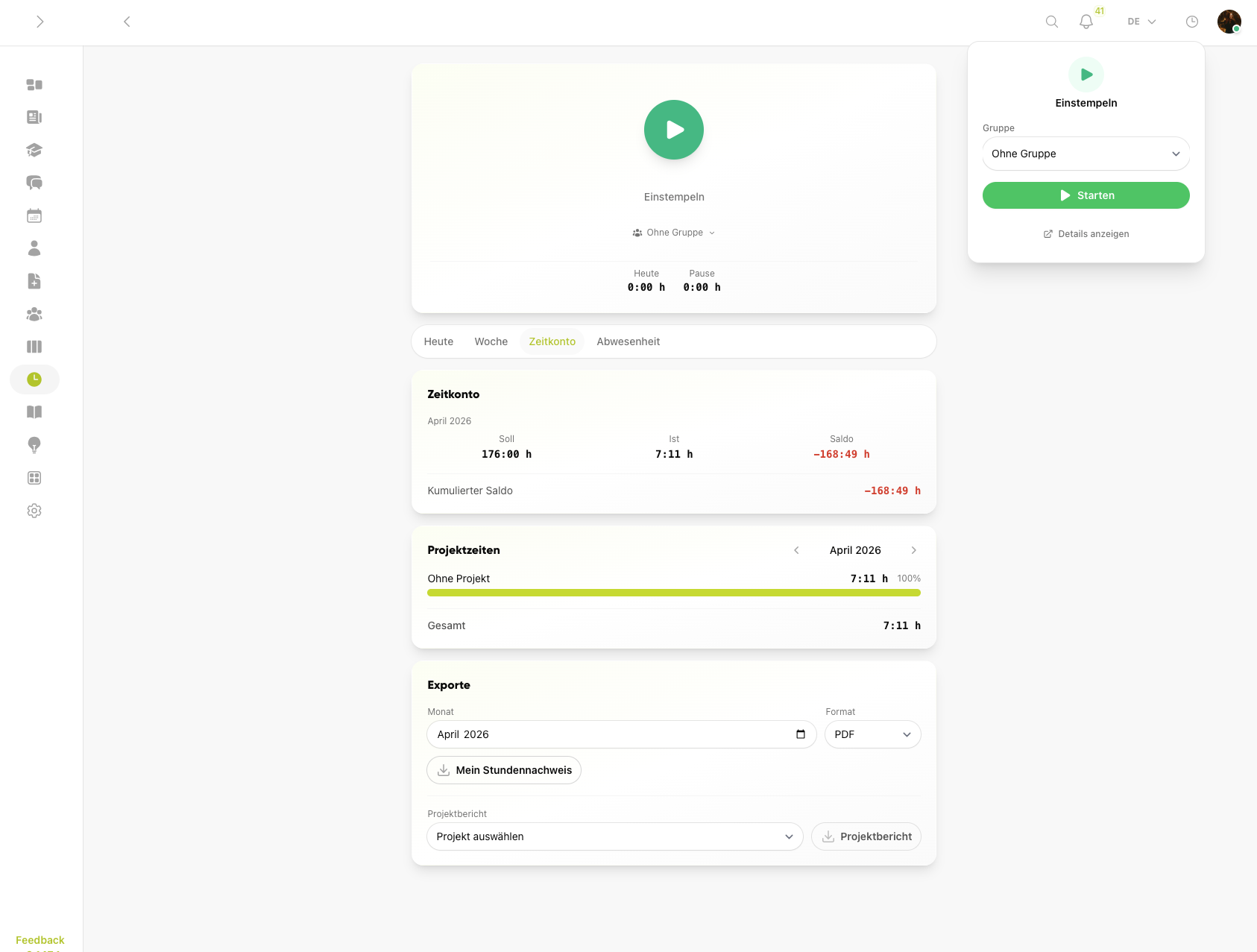
Prepare DATEV exports for payroll accounting
Time account, project times and exports stay available directly in Connect so recorded hours can move into payroll workflows without manual transfer.
- Export timesheets and project reports from the same view
- Prepare DATEV exports for payroll accounting
- Create month-based exports without extra tools
From the founder
The EU ruling on working time recording has been in force since 2019 — but many mid-sized companies still capture hours on paper or in Excel. Mobile recording directly at the workplace is not futuristic, it is what employees expect in their daily lives.
Frequently asked questions
Frequently asked questions about Time Tracking
Is time tracking in Kibi Connect compliant with the ECJ ruling?
Yes. Time tracking meets the requirements set by ECJ ruling C-55/18 from 2019 and the subsequent German rulings. Working hours are recorded systematically, traceably and tamper-resistantly. Employees and employers have ongoing access to documented entries.
How do field technicians and mobile employees record their hours?
Directly on the smartphone in the Kibi Connect app. One tap starts the tracking, another one ends it — including breaks, projects or cost centres if needed. Tracking works offline and syncs as soon as the network is available. Excel lists and handwritten timesheets disappear.
What analytics are available for daily, weekly and monthly hours?
Employees see running time, daily total and weekly overview directly in the app. Managers get overviews per person, team or project for internal analytics, payroll and controlling. Data stays GDPR-compliant inside the company and cannot be misused for unauthorised performance monitoring.
Can tracked hours be exported for payroll?
Yes. Time tracking data can be exported for downstream processing, for example as a DATEV export for payroll accounting. That moves recorded hours into existing payroll workflows without manual transfer.
Can project hours be tracked separately from total working time?
Yes. Hours can be booked to projects, cost centres or tasks. Alongside the legally required total working time, you get project-based analytics — relevant for costing, customer billing and internal profitability reviews.
Try Kibi Connect free
See Time Tracking directly inside the app and evaluate how Kibi Connect can support your organisation.