
CRM
The CRM in Kibi Connect brings contacts, companies, deals and meeting notes together – right next to chat, tasks and calendar.
Keep contacts, companies and deals in Kibi Connect – from customers to authorities, reachable straight from chat, tasks and calendar.
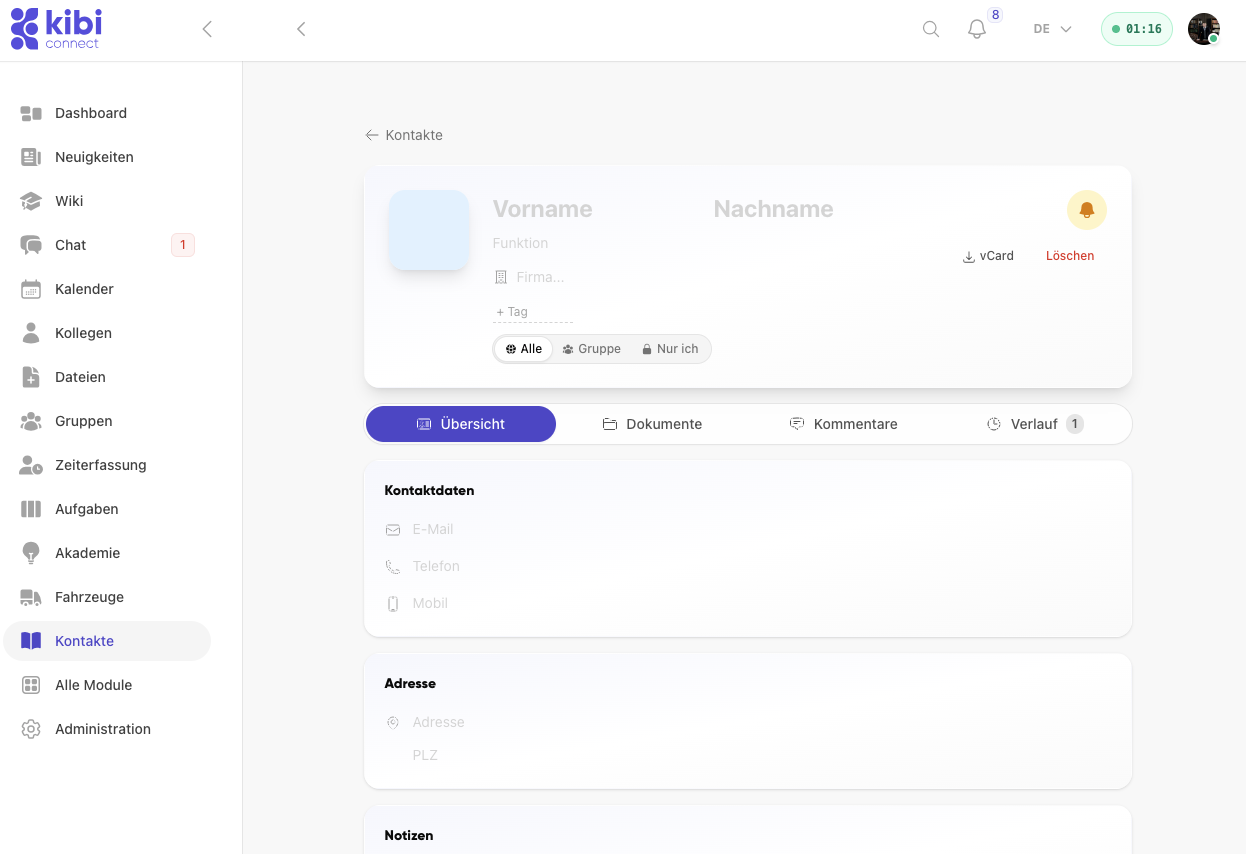

Capture contacts and companies in a structured way
Contacts and companies are captured in one shared overview and stay easy to find.
- Manage contacts and companies in one shared list
- Create new contacts and companies directly from the overview
- Use search, filters and CSV import inside the CRM
- Keep contact data in the company even when staff changes
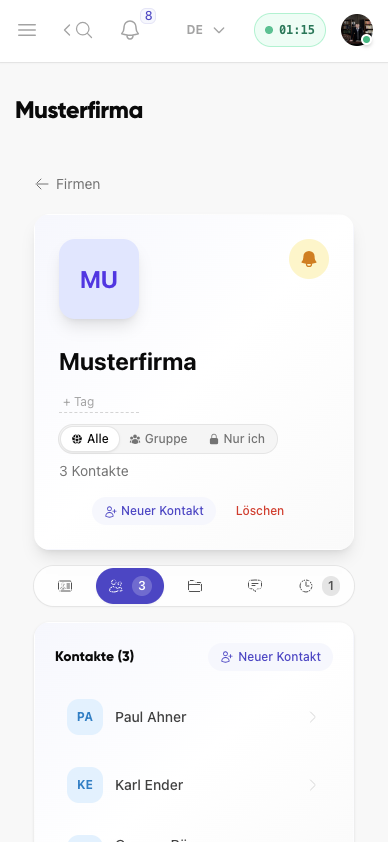
Companies, contacts and relations in the right context
Company profiles bundle related contacts, visibility settings, relations and further entries in one place.
- Assign contacts directly to a company
- Record company groups and relations between contacts and companies
- Create new contacts straight from the company context
- Maintain company-wide visibility and tags transparently
Deals, meeting notes and trade fair leads
Deals move through a pipeline with your own stages, conversations are documented and trade fair leads are captured right at the booth.
- Run deals in a pipeline with your own stages and a probability-based forecast
- Write meeting notes from templates – Kai helps to structure them
- Capture trade fair leads quickly at the booth, also from a photo of the business card
- Set reminders and link records to tasks, appointments, chats and files
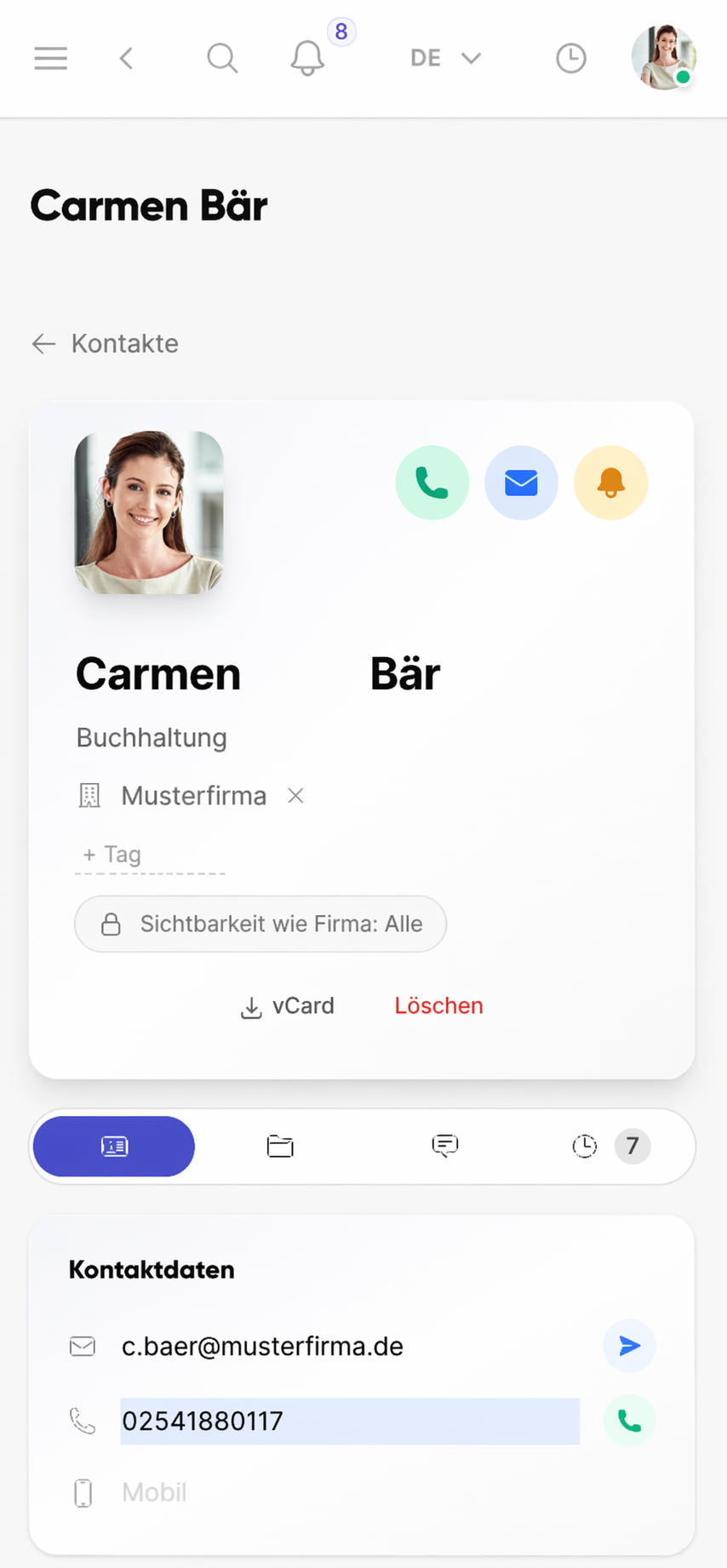
Work directly with the right contact person
From the contact profile, teams start calls, emails or follow-up actions without switching tools.
- See phone, email and visibility settings directly in the profile
- Keep contact data available on mobile at the place of work
- Start vCard export and further actions right from the profile
- Avoid dependency on private contact lists or SIM contacts
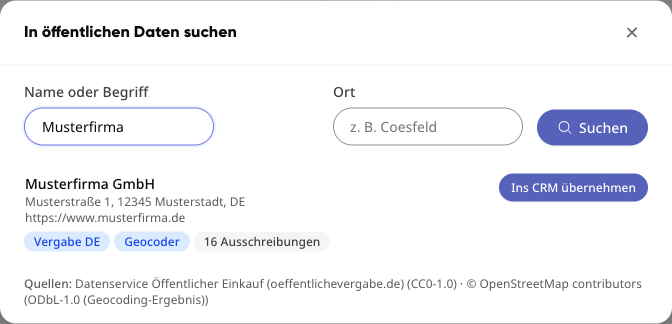
New: public data in the CRM
How do public company data get into the CRM?
You look up a company in open registers and procurement portals and add it to the CRM with one click – with a duplicate check.
- Search by name or keyword and place straight from the CRM list: “New” → “Search public data”
- Sources include the LEI directory (GLEIF), procurement portals from Germany and the EU, Wikidata and the national company registers of France and the UK
- Plus a check against the German commercial register and the legal notice on the company website
- “Add to CRM” first checks whether the company is already in the CRM
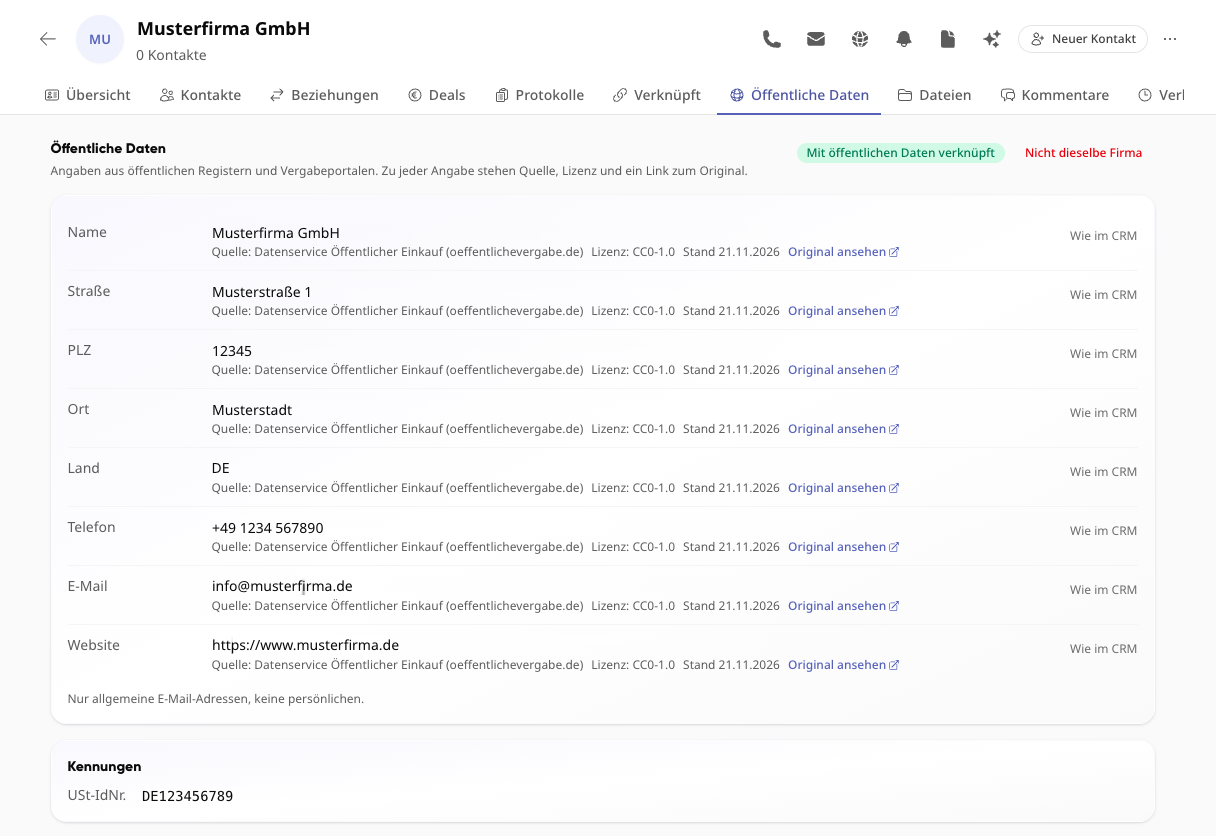
Where does each piece of information come from?
Every value from public data shows its source, licence, date and a link to the original – verifiable instead of copied.
- “Public data” tab on every company: name, address, phone, general email, website and identifiers such as the VAT ID
- Existing CRM companies are matched with public data automatically in the background
- Differences to the CRM are shown field by field and can be taken over one by one
- Wrong match? “Not the same company” removes the link
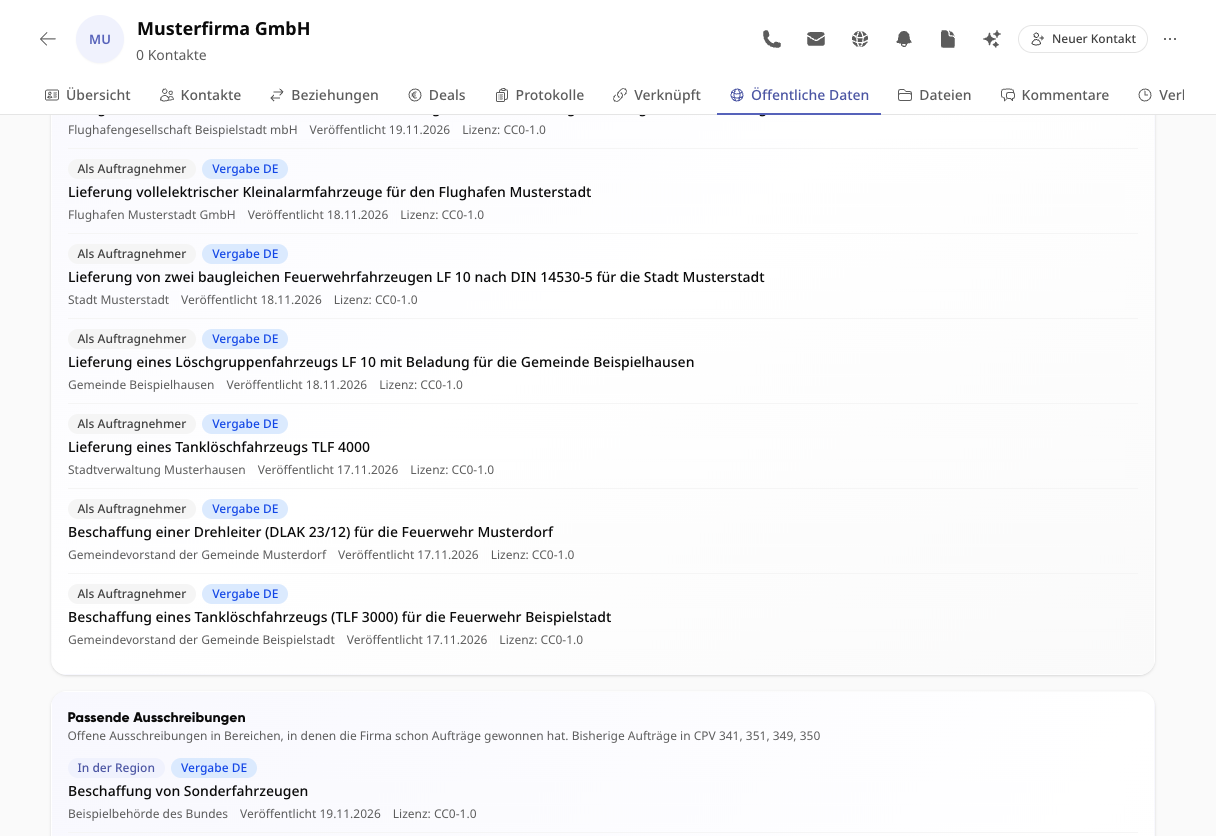
Which public tenders relate to a company?
On every company you see public tenders and contract awards – and open tenders where it has already won contracts.
- Tenders and awards from procurement portals in Germany and Europe, such as oeffentlichevergabe.de and TED
- For each entry: the company’s role, the contracting authority, the date and the licence of the source
- Matching open tenders in the areas (CPV) in which the company has won contracts so far – also in its region
How does Kai research public data?
You ask Kai in your own words. Kai searches public company and tender data and names the source for every answer.
- “Who supplies fire engines?” – Kai finds companies by what they do, not only by name
- “Which tenders are there for road construction in North Rhine-Westphalia?” – search by topic, sector (CPV), region and deadline
- Matching open tenders for a company from your CRM
- With sources: Kai states where every piece of information comes from
What happens to our data?
Only publicly accessible company data is used, no names of individuals. Your own CRM companies never leave your tenant.
- Only company data from open sources – no names of individuals, no personal email addresses
- Private CRM companies stay in your tenant
- Hosted in the EU, like the whole platform
- Open registers make public contracts easier to find for small suppliers too. We see this as a contribution to transparency (UN Sustainable Development Goal 16) and to reduced inequalities (Goal 10).
From the founder
Customer data in mid-sized companies often lives in three email inboxes, two spreadsheets and on the phones of sales people. When someone leaves, a slice of the contact network goes with them. A central CRM integrated into the daily platform solves exactly that.
Frequently asked questions
Frequently asked questions about the CRM
What does the CRM in Kibi Connect include?
The CRM manages contacts and companies, deals in a pipeline with your own stages and a forecast, meeting notes with templates, trade fair leads, reminders and relations between contacts and companies. Everything lives in the same platform as chat, tasks, calendar and files and can be linked to them directly.
How do I manage customer contacts centrally and in a GDPR-compliant way?
The CRM stores contact data inside the Kibi Connect platform, hosted in Germany. Each contact has clear owners and visibility settings, so customer data is no longer scattered across private inboxes or personal smartphones. GDPR deletion requests and information rights become much easier to fulfil.
How do I quickly find the right external contact?
Search by name, company, location or category. Profile pages show phone, email, responsibilities and linked deals, tasks and appointments. The right contact person is found quickly, with all relevant information in context.
Are the contacts usable on mobile?
Yes. Field technicians, service staff and account managers access contacts directly in the app — on site with the customer, on a construction site or on the road. Return numbers and the right colleague are instantly available, without relying on personal SIM contacts.
Who sees which contacts and deals?
Visibility and edit rights are role-based: private, for selected groups or for everyone. Sensitive customer or partner data is visible only to authorised people. Guests do not see deals or meeting notes.
Where do the public company data in the CRM come from?
From open registers and procurement portals, including the LEI directory (GLEIF), procurement portals from Germany and the EU, Wikidata, the company registers of France and the UK, a check against the German commercial register and the legal notice on the company website. Every value shows its source, licence, date and a link to the original.
Does the CRM take over personal data from public sources?
No. Only publicly accessible company data is used, no names of individuals and no personal email addresses. Your own CRM companies never leave your tenant, and the data is stored on servers in the EU.
Try Kibi Connect free
See CRM directly inside the app and evaluate how Kibi Connect can support your organisation.