
Register additional devices at Kibi Connect
1min
With QR code registration, you can log in to Kibi Connect quickly and without a password. This is especially convenient if you want to use Kibi Connect on your smartphone or tablet as well and don’t want to re-enter your access data.
Where can I find my QR code?
You can access your personal QR code at any time in your user account:
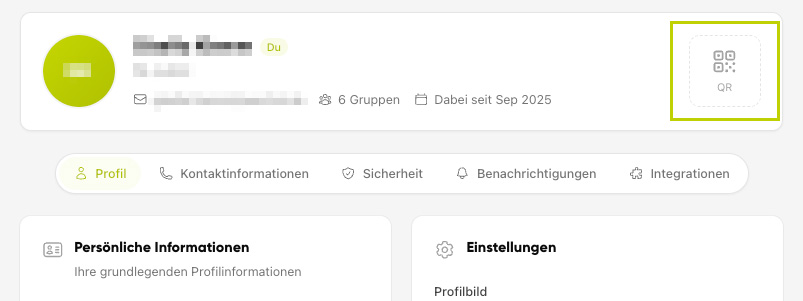
Open your user account.
Click on QR in the top right corner.
The QR code will be automatically hidden again after a short time. Click on "QR" again to display it.
QR codes contain sensitive login data and are hidden for security reasons.
How to log in using a QR code
To log in on another device, open the login page there and hold your QR code in front of the camera:
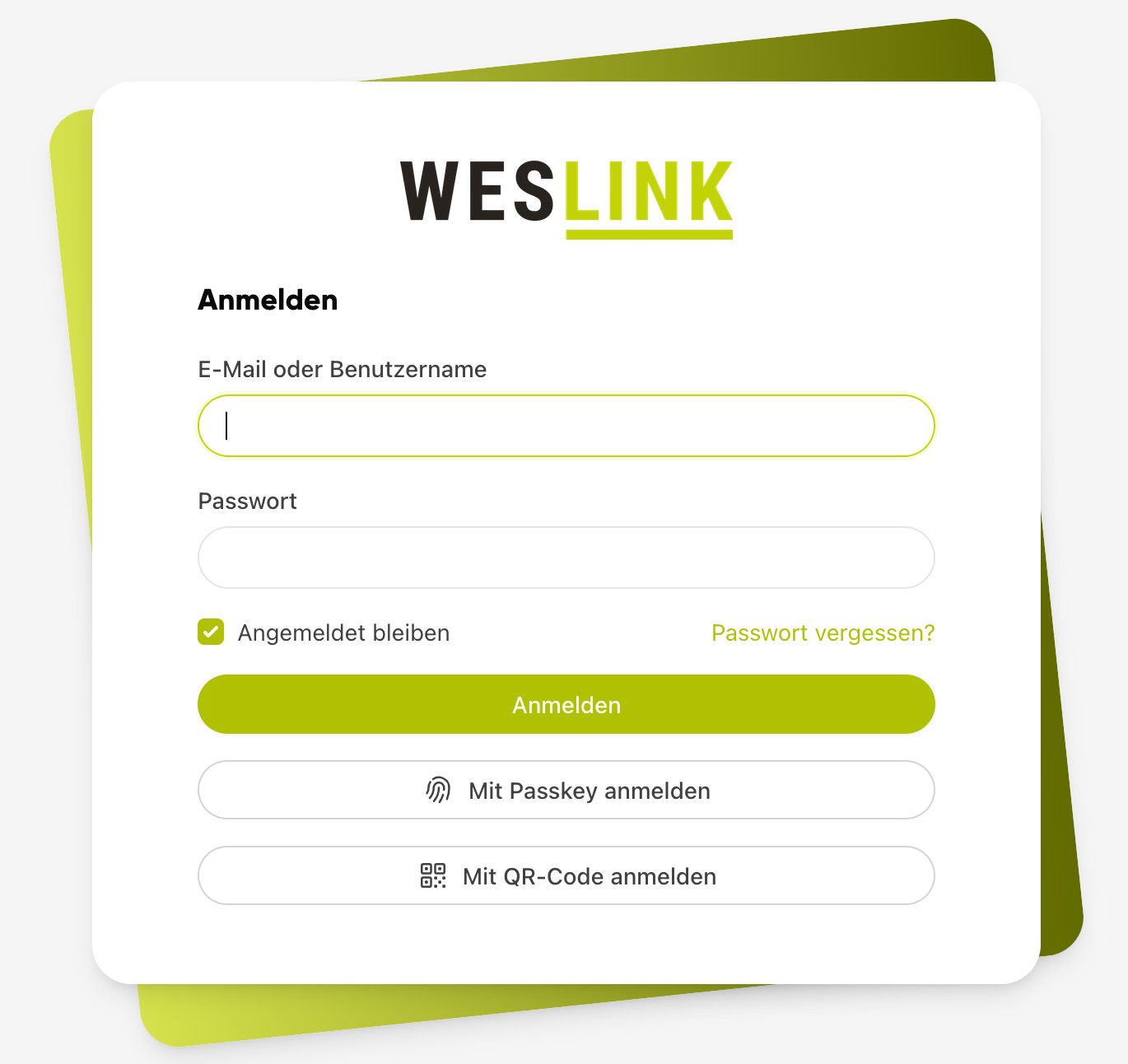
Open the login page on the device and click on "Log in with QR code".
Allow camera access.
Hold your QR code in front of the camera.
You will be logged in automatically and will remain logged in on this device until you log out again.
If no camera is available or you see the message "No camera found," click on "From file" and upload a photo or screenshot of your QR code.