
Groups
Groups bring chat, news, tasks, files and appointments into one shared context per team, site or project — instead of spreading them across multiple tools and messengers.
Groups structure communication where it is actually needed in daily work: by team, site, project or responsibility.
Each group combines news, chat, files, calendar entries and tasks in one clear context.
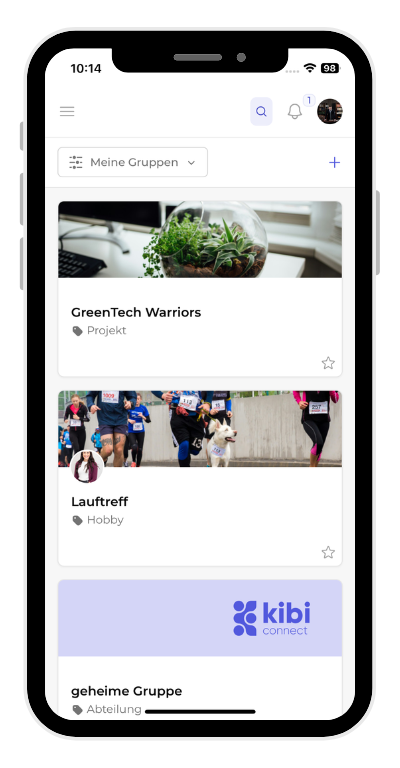
Set up groups in minutes
Create the right structure for departments, projects or locations without extra coordination tools.
- Define team, project or site groups clearly
- Add the right members directly
- Create a reliable communication context from day one
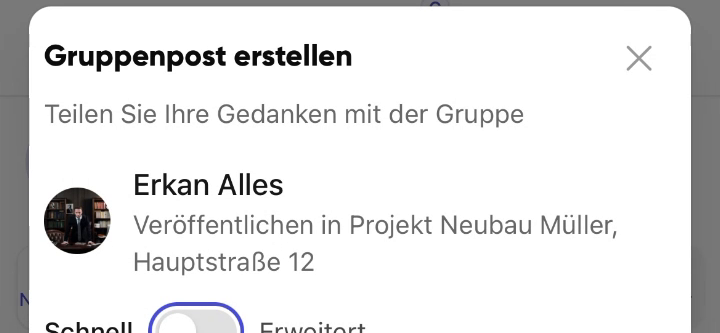
Keep everything in the right context
News, files, appointments and tasks stay inside the group instead of being spread across side channels.
- Share updates with exactly the right people
- Store documents inside the group
- Coordinate appointments and tasks without tool switching
Uit de praktijk
Many of our customers had a separate WhatsApp group for every site, every location and every project. With groups in Kibi Connect, what belongs together comes back into one digital room — chat, files, appointments and tasks.
Veelgestelde vragen
Veelgestelde vragen over Groups in Kibi Connect
How do I organise distributed teams across multiple locations?
Create a dedicated group for every location, department or project. Each group has its own news feed, chat, file area, calendar and tasks. Site-specific communication stays separate, and information no longer gets lost between private messenger groups. Employees only see the groups they belong to.
Can I safely include external partners or customers in a group?
Yes. External users can be invited to individual groups and only see the content that is released for joint collaboration. All data stays in the GDPR-compliant platform hosted in Germany — without depending on WhatsApp, Dropbox or US cloud tools.
What is the difference between a group and a simple chat?
A group is the shared workspace of a team. Chat is just one of several building blocks — news, tasks, files and calendar entries belong to the group as well. That keeps agreements, documents and appointments in one place, instead of scattered across messenger, mail and shared drives.
How do I control access rights inside a group?
Groups have clear roles: member, creator and admin. Members read, comment and react. Creators publish content. Admins manage the group and its member list. Responsibility stays clearly assigned, and sensitive content is only visible to the right people.
Kibi Connect gratis uitproberen
Ervaar Groups direct in de app en ontdek hoe Kibi Connect in uw bedrijf kan worden ingezet.