
How do I create an appointment?
Updated Reading time: 1 min
On this page
In the Calendar, you plan appointments and meetings—for yourself, for a group, or for everyone. Here’s how to create a new appointment.
Create an Appointment#
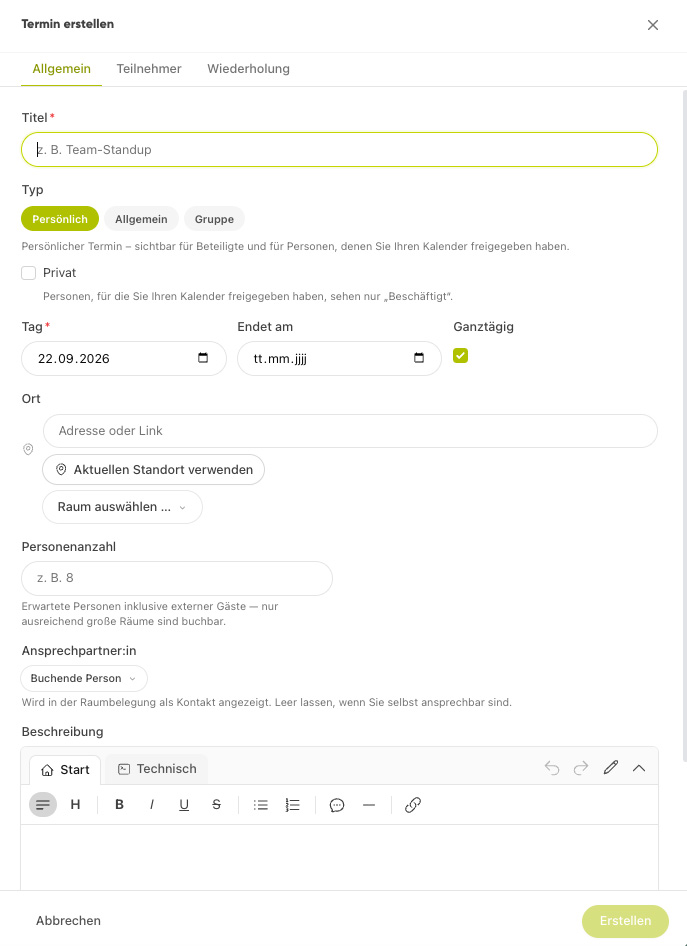
Open the Calendar module.
Click on the desired day—or drag in the week/day view to select the time range. The form opens with the time pre-filled.
Enter a title and select the calendar type (Personal, Group, or General).
Set the day and start/end time—or enable All-day.
Optional: Location, description, a meeting link for a video conference with Kibi Meet (Kibi Connect’s video conferencing solution), and participants.
Save the appointment.
Switch Views#
At the top of the calendar, switch between Month, Week, and Day.
Info
Your appointments can also be synchronized with Google and Microsoft calendars—see the linked page below.