
How do I change the interface language?
1min
You can set the language in which the Kibi Connect interface is displayed for you.
Proceed as follows:
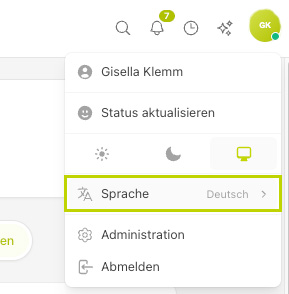
Open your profile: top right on My Account.
The drop-down menu opens.
Click on Language.
Select the desired language from the selection field.
The change takes effect immediately.
The language selection only applies to your own account and does not change the display for other people.