
How do I upload files?
Updated Reading time: 1 min
In the Files module, you store documents centrally so that all authorized users can access them quickly.
Upload files#
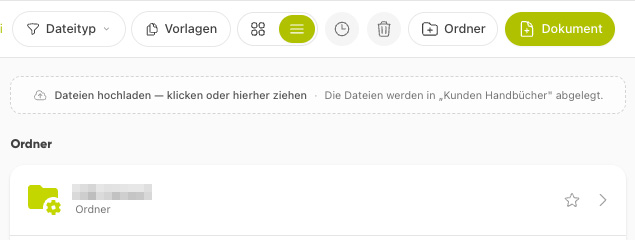
Open the Files module and navigate to the folder where the file should be stored.
Drag the file to the field "Upload files - click or drag here" or click on the field to select a file.
Wait until the upload is complete.
Info
If you want to upload multiple files to the same folder, it works best via drag & drop. This allows you to transfer multiple files at once.