
How do I delete a wiki page?
1min
You can delete wiki pages that are no longer needed. Please note a few important points.
Delete a page
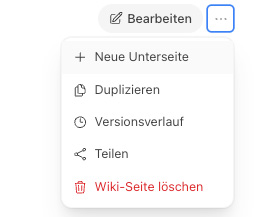
Open the page and click Edit.
Select Delete.
Confirm the security prompt.
A page with subpages cannot be deleted. First delete the subpages or move them to another location.
What happens after deletion
Deleted pages are first moved to the trash and removed from the wiki.
After the retention period expires, they are permanently deleted and can no longer be restored.