
How do I plan posts and inform colleagues?
1min
You can plan posts in advance, announce them specifically via notification, and pin them at the top of the feed.
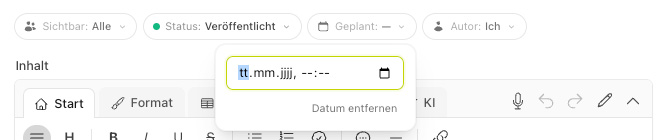
Schedule post (publish later)
Set a future date and time in the Publish on field. The post will then be automatically published at the selected time.
Posts saved as drafts are not yet visible.
Inform colleagues (push notification)
With the Inform colleagues option, you trigger a notification to employees when publishing.
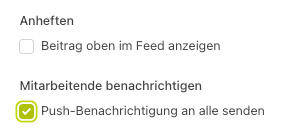
The option does not appear if the post has already been notified or if notifications for news are generally enabled.
Pin post
Enable Pin post so that the post permanently appears at the top of the feed—ideal for important announcements.