
How do I edit my profile?
1min
In your profile, you store your personal details and customize Kibi Connect to your needs. This way, your colleagues know how to reach you, and you can, for example, set your preferred language.
How to Open Your Profile
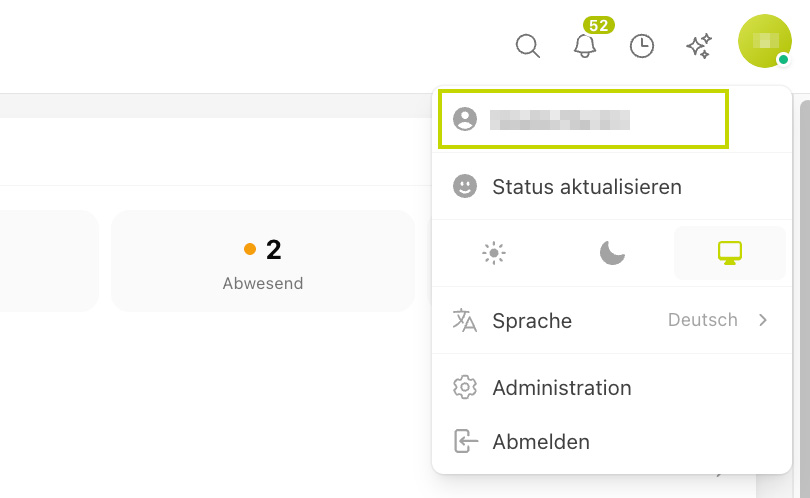
Click on My Account (Your Initials) in the top right corner.
Select Profile (Your Username).
What You Can Adjust in Your Profile
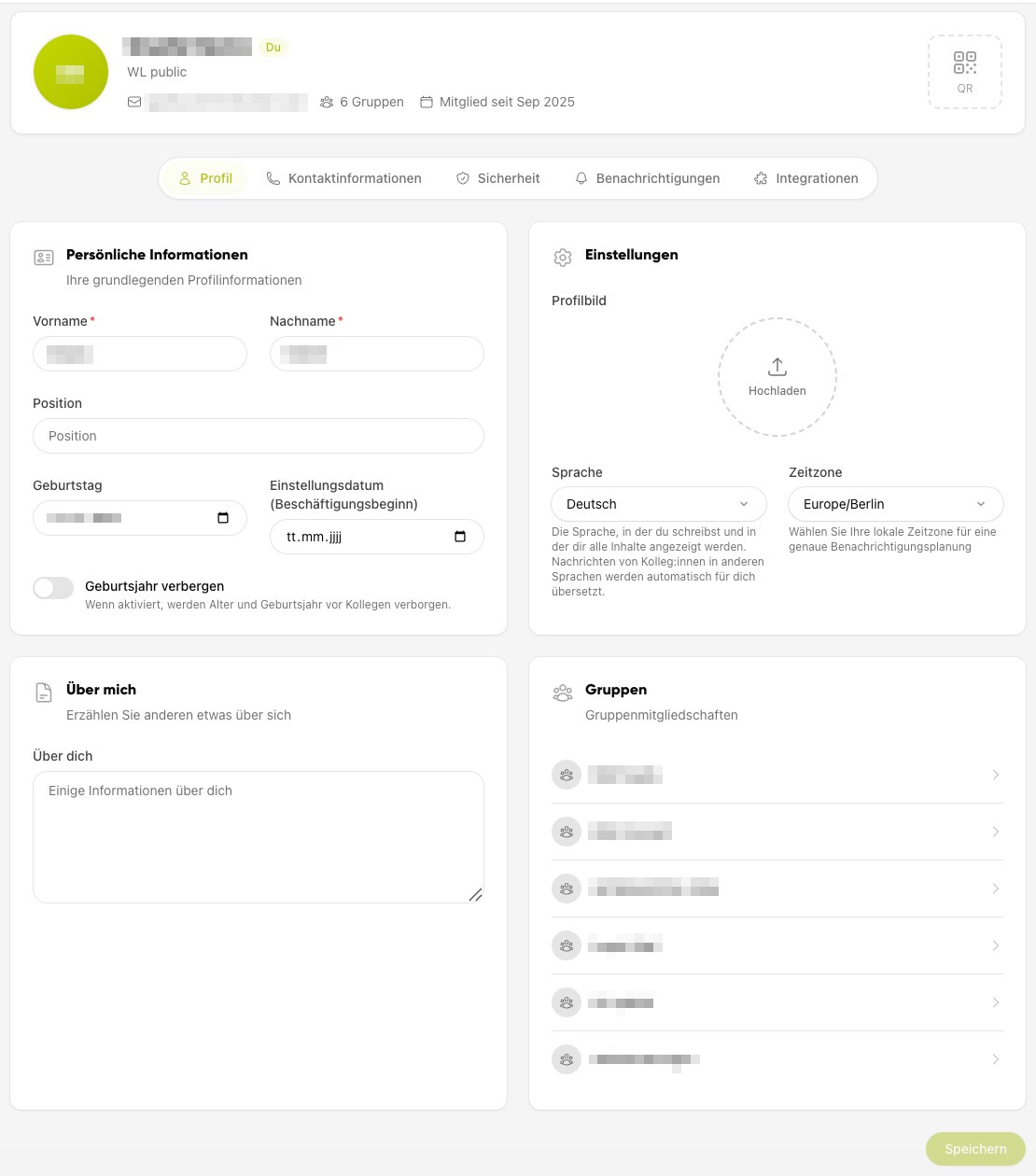
Profile Picture: Upload a photo so colleagues can recognize you more easily.
Contact Details: Store your phone number, for example, so you can be reached quickly.
Preferred Language: Set the language in which Kibi Connect is displayed for you.
Password: Change your password here if needed.
Don’t forget to save your changes.
Detailed step-by-step instructions on individual profile topics (contact details, language, password) can be found in the My Profile section.