
How do I edit a wiki page?
Updated Reading time: 3 min
On this page
You can update existing wiki pages at any time. Your changes are first saved to a working draft. Only when you publish them will everyone else see the new version. Each publication is recorded in the version history.
Editing and publishing a page#
In the Wiki module, open the desired page and click Edit in the top right corner.

The editor opens. In the top right corner are Page settings, Finish editing, and Publish. As long as you haven't changed anything, no notice appears yet.
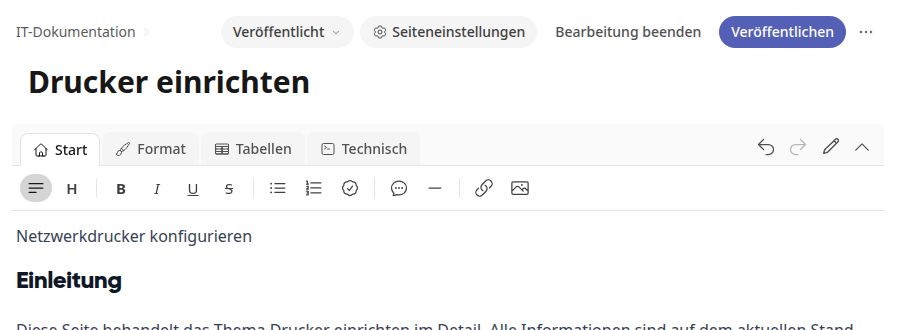
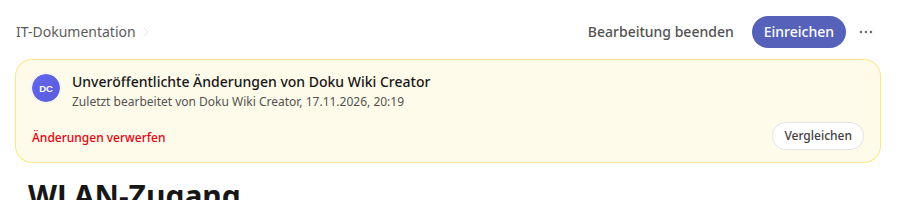
Make your changes to the title and content. They are automatically saved in the working state. As soon as you change something, the yellow notice Unpublished changes indicates this, with the entries Discard changes and Compare.
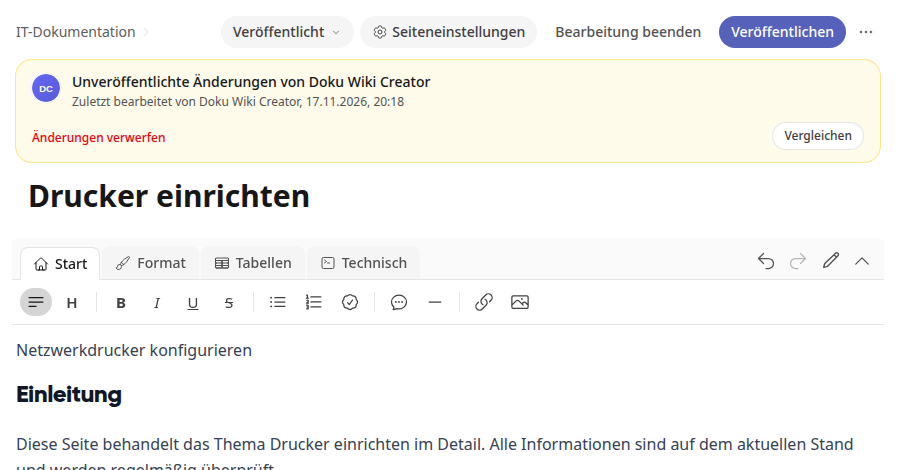
Click Compare if you want to see the published version and your working state side by side.
Click Publish in the top right corner. The message The page was published. confirms it, and all readers now see the new version.
Info
You change the parent page, tags, groups, and responsible persons via Page settings. This information is not part of the working state and applies immediately.
Tip
If you only opened the editor and didn't change anything, the page remains unchanged. After Finish editing, you will see the normal view again without any notice.
Continue Later or Discard Changes#
Click on Finish editing if you don't want to publish yet. Your work in progress is saved, and readers continue to see the published version. At the top of the page, these buttons will then appear:
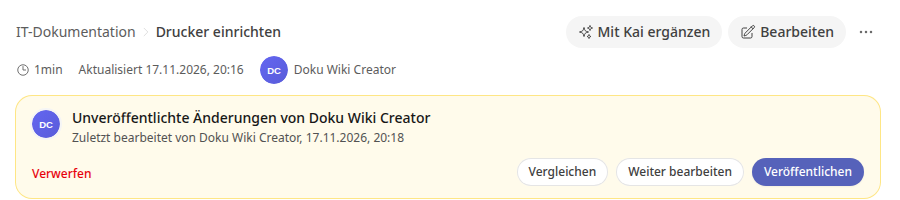
Continue editing opens the editor again.
Publish applies the work in progress to the page.
Discard deletes all unpublished changes. The published version remains unchanged. In the editor, this link is called Discard changes.
Before deleting, the platform asks for confirmation. Confirm with Discard work in progress, or click on Keep to continue working. The message The work in progress has been discarded. confirms it.
You can also find your open work in progress on the wiki's home page under My work in progress.
Warning
For a page that has never been published, Discard deletes the entire page.
Tip
There is exactly one work in progress per page. If multiple people edit the same page, they work on it together. The notice shows who last worked on it.
Submit changes for review#
You can also edit pages that you are not allowed to publish yourself. In that case, instead of Publish, the button Submit for review is available; in the editor it is simply called Submit.
Click on Edit and make your changes.
Click on Finish editing.
Click on Submit for review.
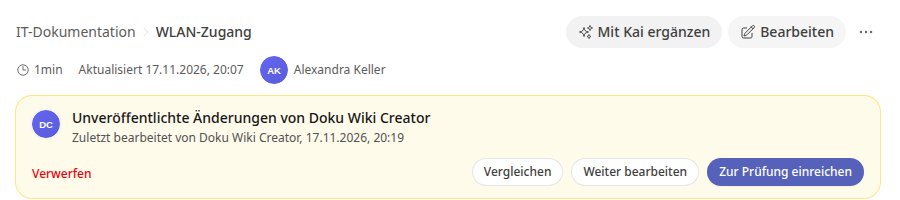
A person with publishing rights will review your work and either publish it or return it to you.
Discard your own work#
Even without publishing rights, you can delete your work on a published page as long as you have not submitted it yet. Click on Discard changes in the editor or on Discard in the page view and confirm with Discard work.
Info
The link only appears if you worked on this draft alone. If others have also contributed to it or it has already been submitted, only a person with publishing rights can discard it.
Info
As a Wiki Creator, you publish pages yourself that you are responsible for. You submit changes to other pages for review, just like employees with the Employee role.