How do I find Wiki content?
1min
Kibi Connect helps you quickly find wiki pages again.
Search
Use the search to find pages by title and content.
Search by Tags (Keywords)
Pages can be tagged with keywords. Search with a preceding # (for example #Onboarding) to find all pages with that tag.
Favorites and Reading History
Mark frequently used pages as favorites to find them quickly again.
Use the reading history to return to recently read pages.
Search with the AI Assistant "Kai"
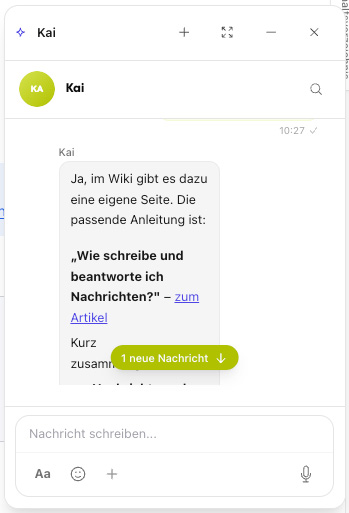
In addition to the classic search, you can also find content via the AI assistant "Kai" (Chat Wiki Assistant). Instead of searching for the exact keyword, simply ask a question in plain language – Kai searches the wiki for content and names the appropriate source page.
Especially useful if you don't know the exact title or keyword, but only the topic or your question.
Open the Chat Wiki Assistant.
Enter your question, e.g., "Where can I find the vacation policy?".
Kai responds and refers to the appropriate wiki page, which you can read directly.
Kai only finds content documented in the wiki and cites the source page. For detailed information, see How do I use the AI assistant "Kai" in the wiki?.