
How do I find messages and chats again?
Updated Reading time: 1 min
Kibi Connect helps you quickly find past conversations and individual messages. Depending on where you are, you use one of three search options.
Search in the chat list#
The search field Search chats... above the chat list finds both chats and messages.
Open the Chat module.
Enter a name or term in the Search chats... field. At the top, you'll see matching chats: groups with that name and chats involving a person with that name. Below, under Search messages, you'll find matching messages.
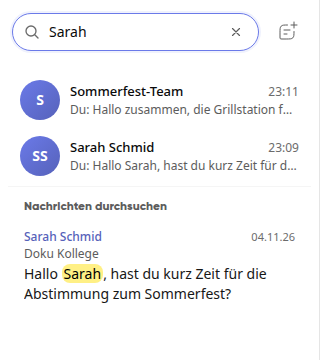
Click on a result to open the chat.
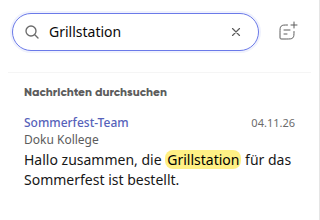
Search in a single chat#
Open the chat.
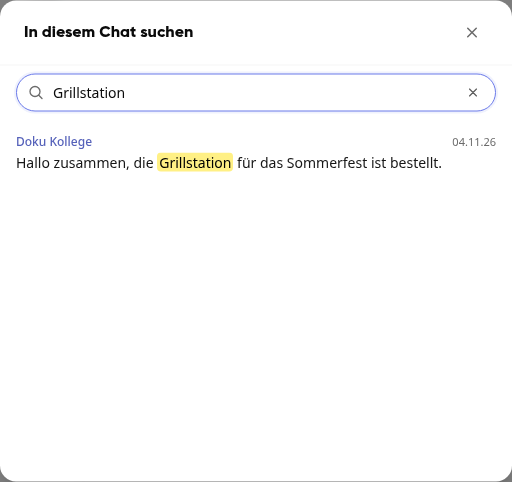
Click on the magnifying glass Search in this chat at the top right of the chat.
Enter your search term and click on a result to jump to the message.
Search across the entire platform#
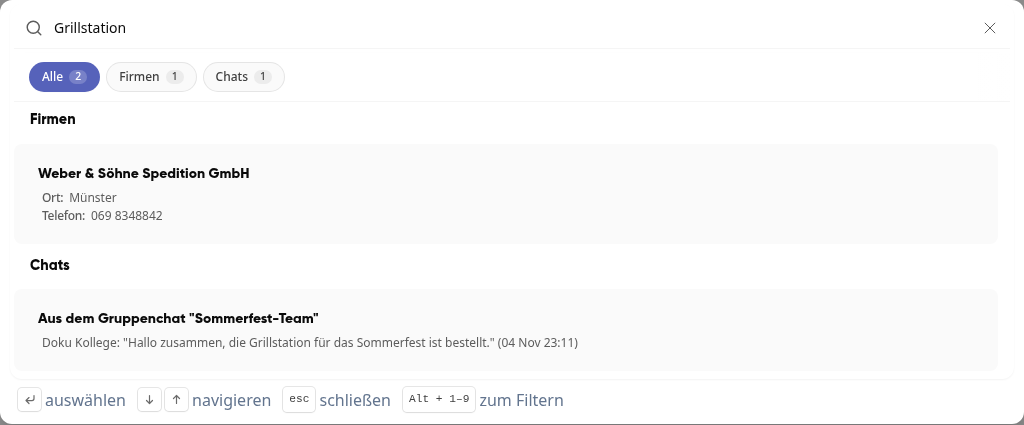
Using the global search, you can find messages along with results from other areas.
Click on the magnifying glass at the top right in the header.
Enter your search term. Messages are listed under the Chats category.
Click on a result to open the chat.
Only your own conversations are searched.
Info
Confidential chats and groups are end-to-end encrypted and cannot be searched for security reasons.