
CRM
Updated Reading time: 1 min
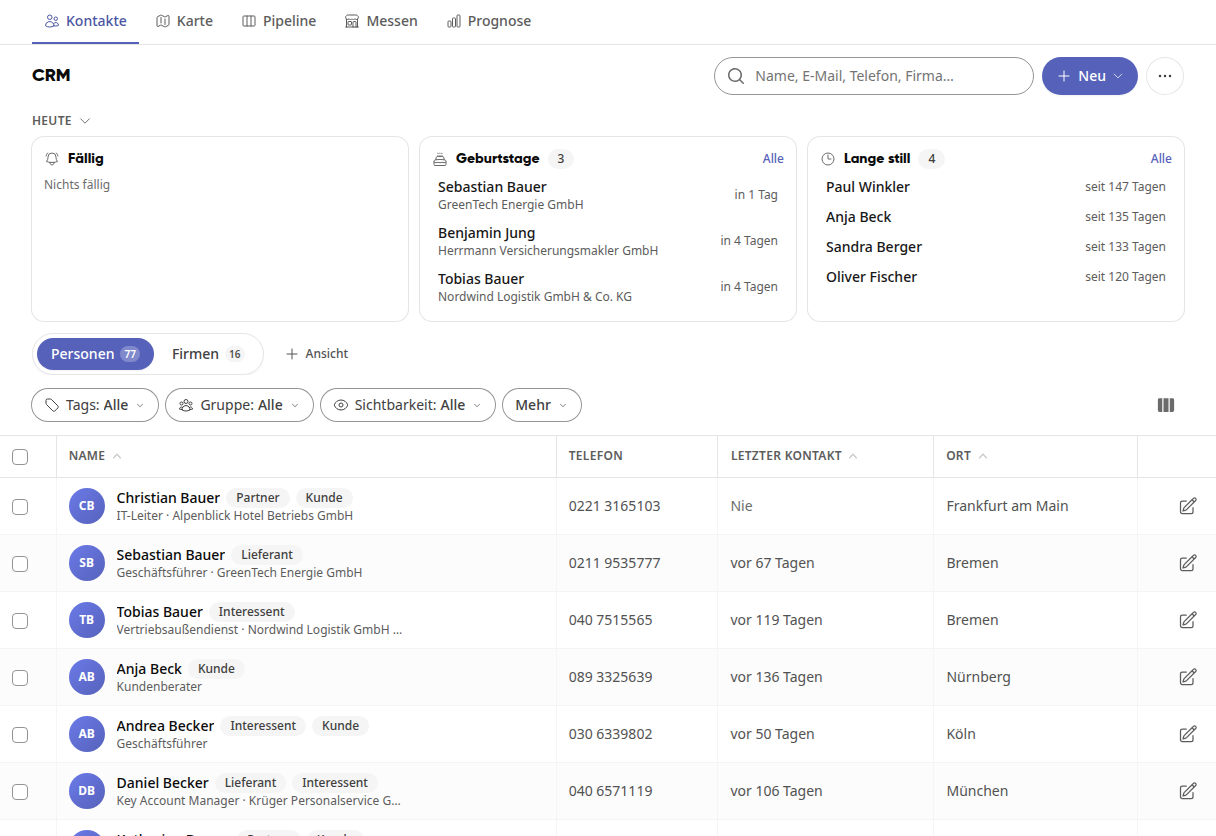
In the CRM module, you manage your company's contacts with customers, suppliers, and partners: individuals and companies with their contact details, conversations, and reminders. Under Today, you can see at a glance what is due, who has a birthday soon, and whose last contact was a long time ago. In the Map tab, you can see where your contacts and companies are located; in the Pipeline tab, you track your sales opportunities from inquiry to closing. The module is available to all employees; system administrators manage pipelines, stages, relationship types, and tags.
Instructions#
How do I record conversations and get reminded about a contact?
How do I record relationships between contacts and companies?
See also
How do I find a contact in the CRM?
How do I record conversations and set reminders for a contact?
How do I create a contact in the CRM?
How do I create a company in the CRM?
How do I create a company group in the CRM?
How do I import contacts and companies via CSV?
How do I record relationships between contacts and companies?
How do I view contacts and companies on the map?
How do I manage sales opportunities in the pipeline?
How do I edit a sales opportunity?
How do I set up pipelines and phases?
How do I rename, merge, or delete CRM tags?
How do I set up relationship types in the CRM?
CRM
- How do I find a contact in the CRM? In the CRM, you will find all the people and companies your business deals with. This is how you search for a contact and view their details.
- How do I record conversations and remind myself of a contact? For each contact in the CRM, you can record when you called, wrote to, or had an appointment with them. For visits and longer conversations, you write a prot…
- How do I create a contact in the CRM? In the CRM, you create people that your company deals with, such as contacts at customers, suppliers, and partners. You then add and change their details dir…
- How do I create a company in the CRM? In the CRM, you create companies to manage customers, suppliers, and partners along with their contacts in one place.
- How do I form a company group in the CRM? When several companies belong together, such as a holding company with its subsidiaries or locations, you assign them to a parent company in the CRM. At the…
- How do I import contacts and companies via CSV? You can import many contacts and companies into the CRM at once, such as an address list from another software or your trade fair contacts. If something goes…
- How do I record relationships between contacts and companies? In the CRM, you record who works with whom: which planning office plans for a client, through which dealer a company procures, or which service provider they…
- How do I view contacts and companies on the map? On the map in the CRM, you can see at a glance where your contacts and companies are located, for example, to plan visits in a region.
- How do I manage sales opportunities in the pipeline? In the pipeline, you see all sales opportunities of your company on a board, from the first inquiry to the closing. Sales opportunities are called Deals in t…
- How do I edit a sales opportunity? On the deal page, you manage everything related to this sales opportunity: value, closing date, customer, and notes. Here you also mark the deal as won or lo…
- How do I set up pipelines and phases? Pipelines represent your sales processes; their phases are the columns your team sees in the CRM pipeline. You define which pipelines exist, what phases they…
- How do I rename, merge, or delete CRM tags? Over time, similar tags such as "Trade Fair 2026" and "Trade Fair Visit 2026" are created in the CRM. In the administration, you clean them u…
- How do I set up relationship types in the CRM? In the CRM, you record how contacts and companies relate to each other, for example who is the planner for a construction project or through which dealer a c…