
How do I complete a training course in the academy and pass the knowledge test?
Updated Reading time: 2 min
On this page
A training course in the Academy consists of sections that you go through in sequence: for example, a text page, a conversation with Kai, and a knowledge test. Once you have completed all sections, you finish the training and receive your certificate.
Open training#
In the navigation on the left, open Academy. Under My Trainings, you will find all the trainings you are supposed to do or have started, along with their status, deadline, and the note Mandatory for mandatory trainings.
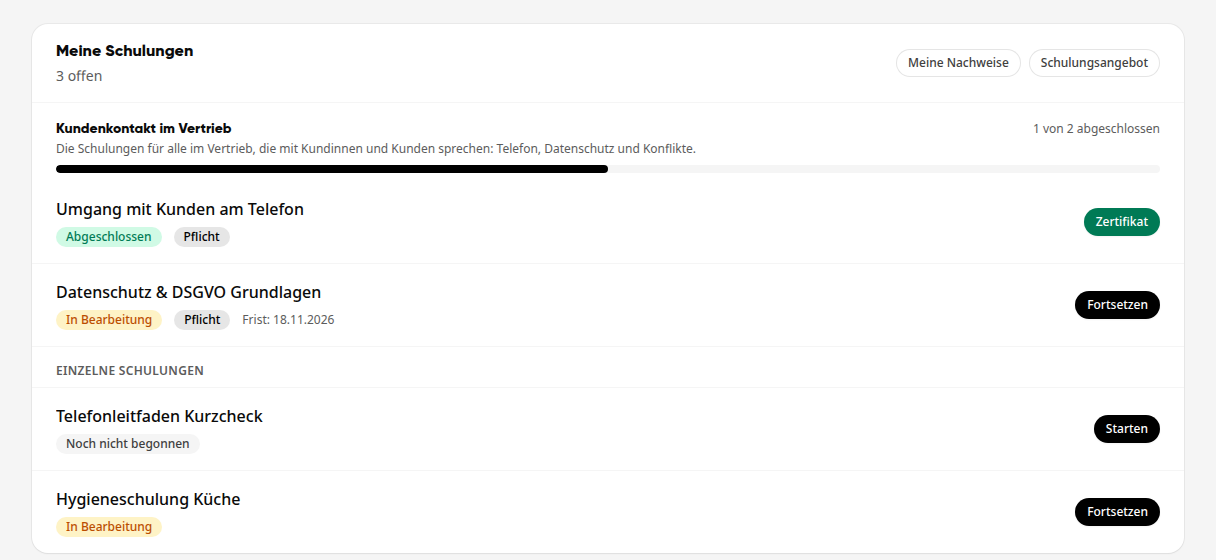
Click Start for the training. For a training you have already started, click Resume to continue where you left off.
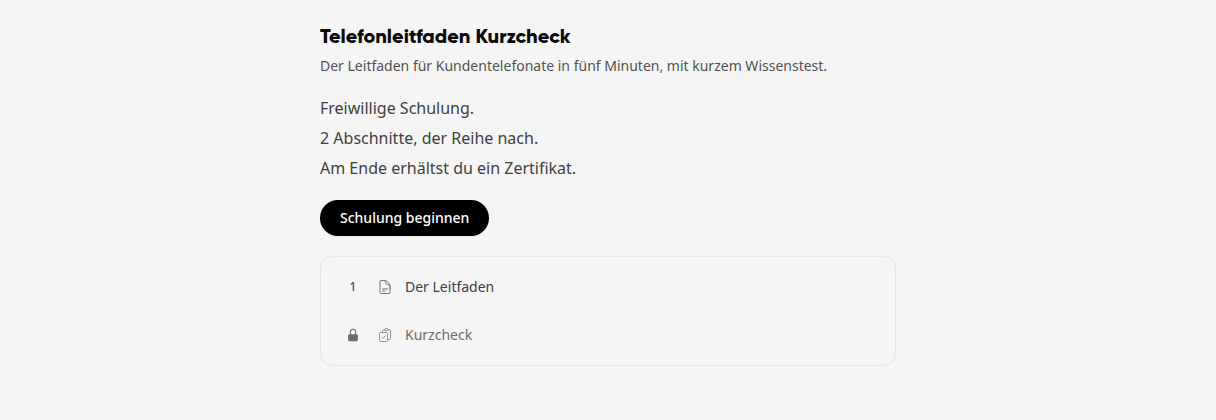
The start page shows what the training is about, whether it is mandatory or optional, the deadline for completion, how many sections it has, and whether you will receive a certificate at the end. Click Start training.
Go through sections#
On the left under Sections, you can see all the sections. A lock icon means: This section will only be unlocked once you have completed the previous one. Under Materials, you will find the accompanying documents for the training.
Read the content. For a text page, you can also have the text read aloud to you using Read text aloud.
Click I have read and understood the content to confirm the section.
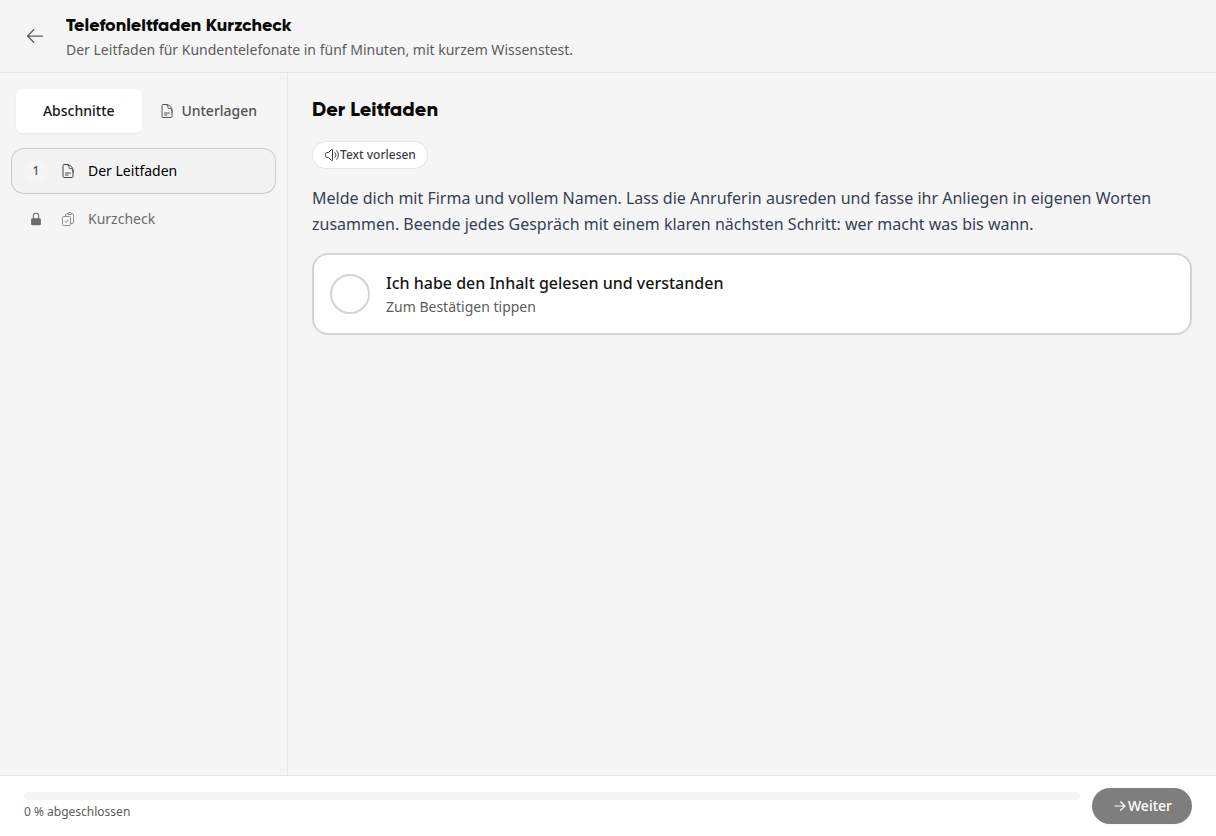
Click Next at the bottom right. The bar at the bottom shows how much of the training you have already completed.
Pass the knowledge test#
Answer all questions by clicking the appropriate answer for each. At the bottom, you can see how many questions you have already answered.
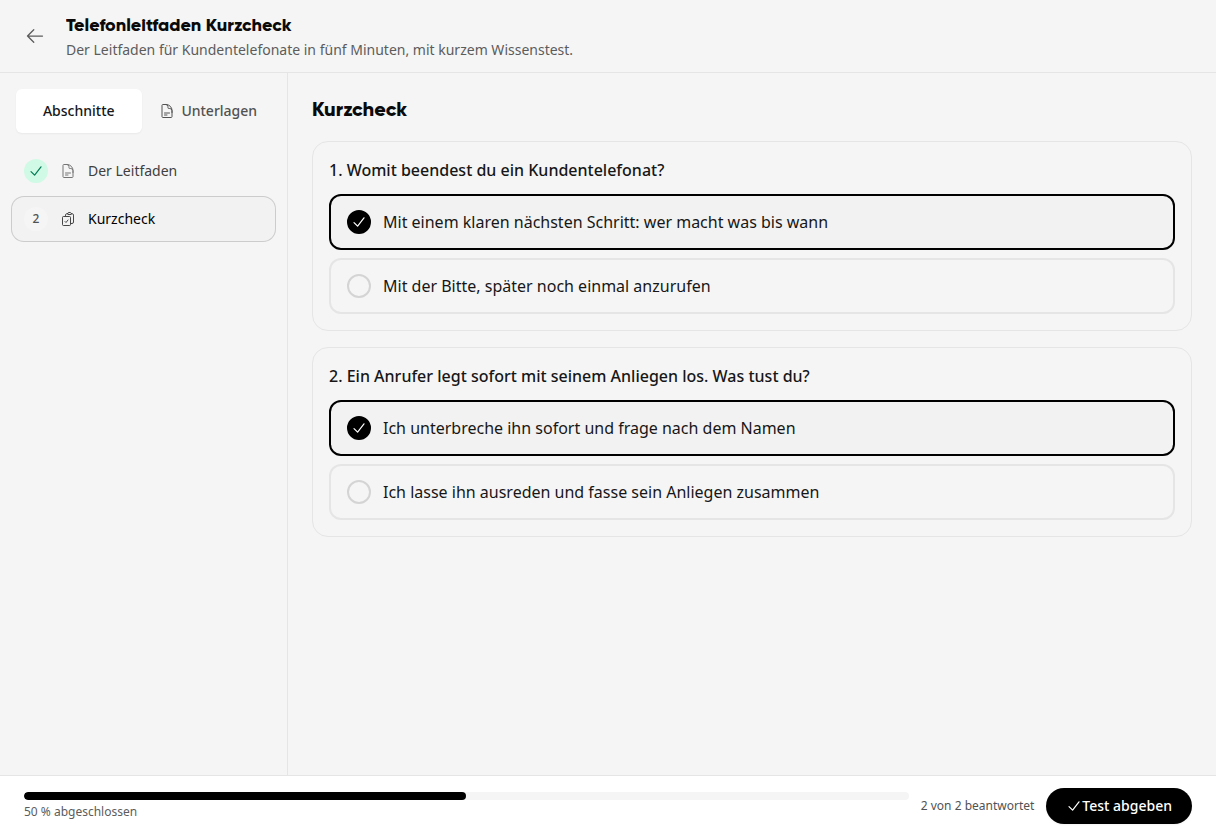
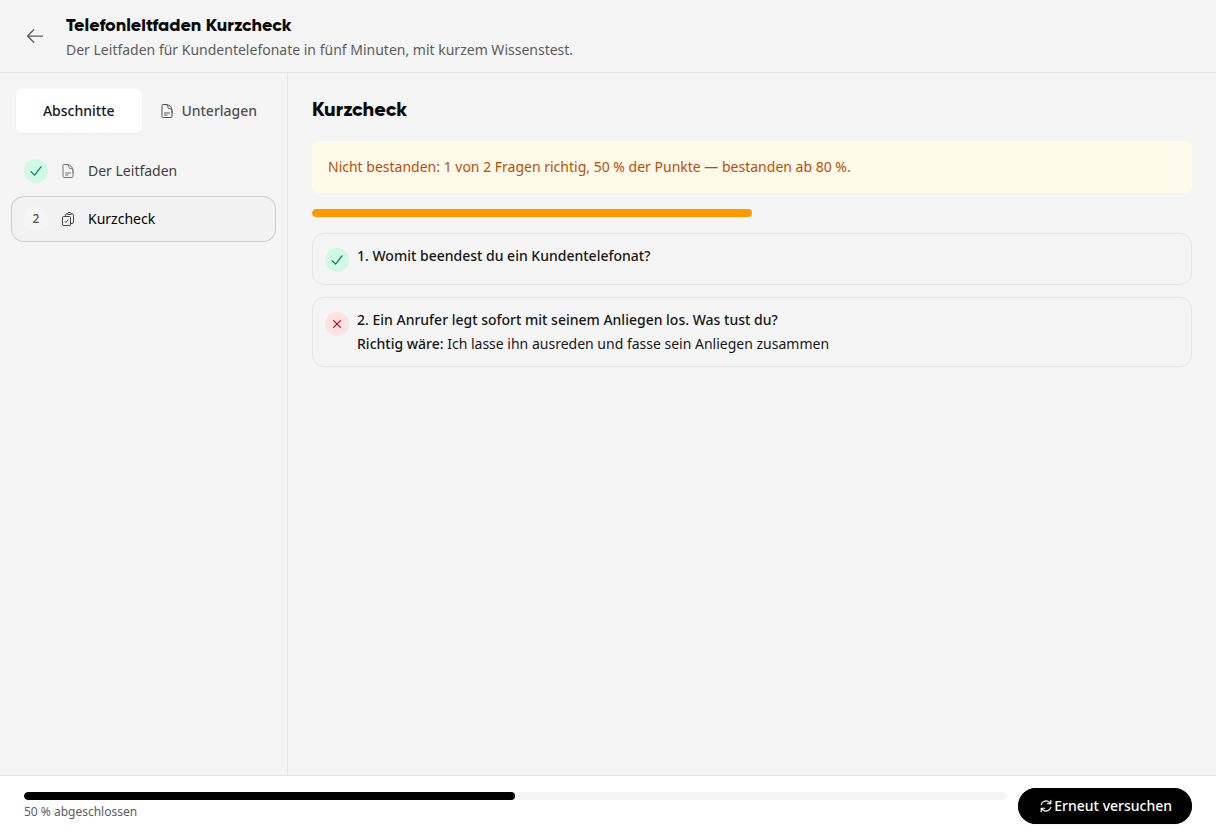
Click Submit test. You will immediately see your result, for example Passed: 2 out of 2 questions correct, 100% of points.
If you have not reached the passing threshold, it will say Failed with the required percentage, and for each incorrect answer, it will show what the correct answer was. Click Try again and answer the questions once more.
Info
The number of points you need to pass and how many times you can retake the test is determined by the person who created the training.
Have a conversation with Kai#
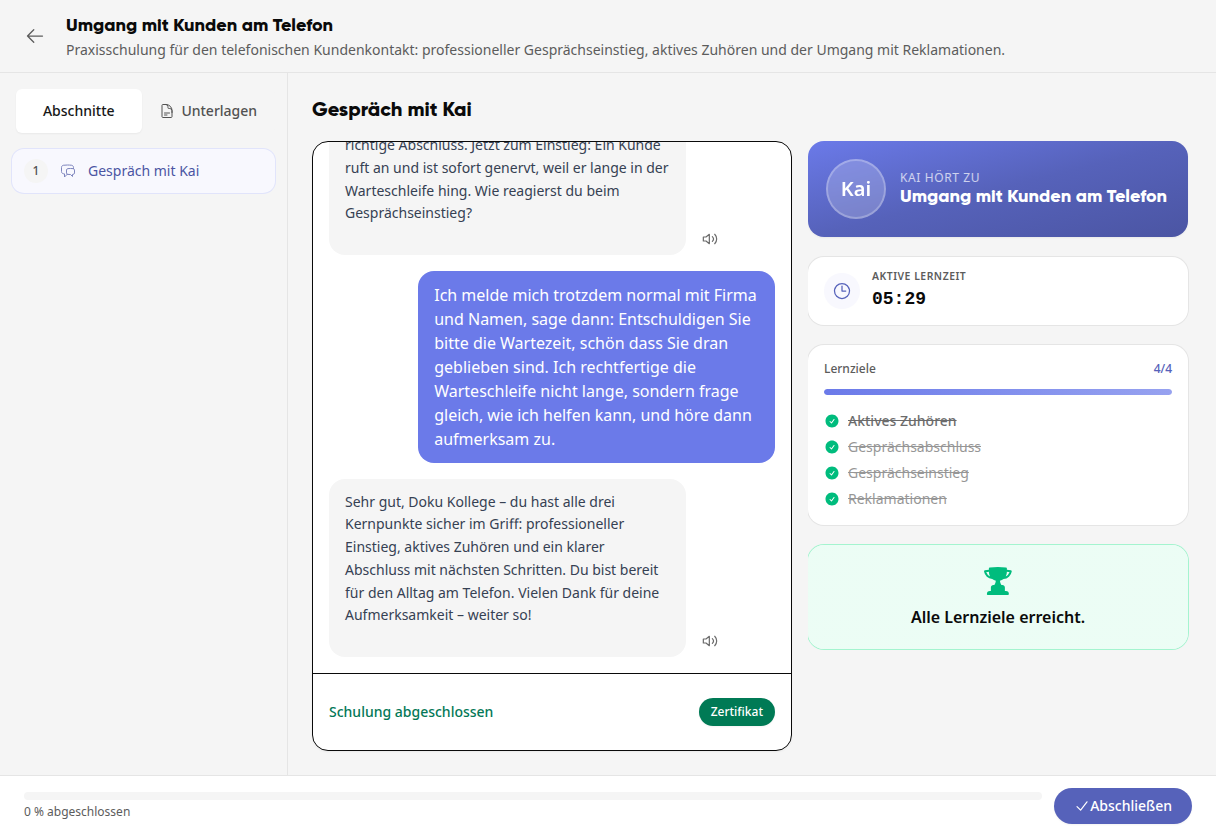
Some trainings include a conversation with Kai. Kai asks you questions about the content, and you answer in your own words.
Click Start conversation and answer the questions in the Message to Kai... field. With Automatically read answers aloud, Kai will read his responses aloud.
On the right under Learning objectives, Kai checks off each objective as soon as you have demonstrated it with your answers. The Active learning time counts as long as you are working on the training.
Once all learning objectives are achieved, it will say All learning objectives achieved.
Tipp
Answer in detail and in your own words. The suggested answers below Kai's question will help you get started, but you will only achieve a learning objective with your own answers.
Complete training#
After the last section, click Complete at the bottom right.
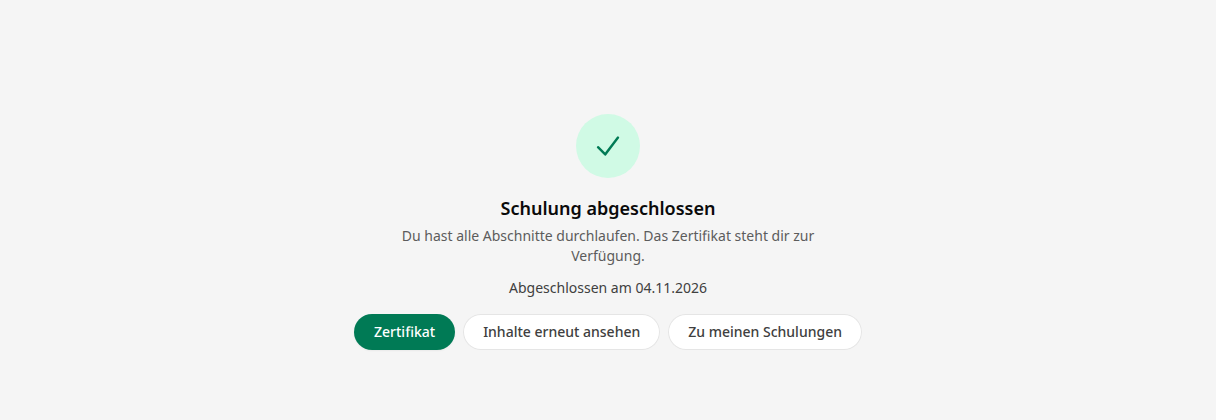
You will see Training completed with the date. Use Certificate to open your certificate, Review content again to go through the training once more, and Back to my trainings to return to the overview.
Info
This feature is available to all employees. Content Managers determine which trainings you should complete.