
How do I recommend an external calendar to all employees?
Updated Reading time: 2 min
On this page
With Recommended Calendars, you provide all employees with calendars from other providers, for example trade fair dates, public holidays of a neighboring country, or an association calendar. All you need is the iCal link (.ics) of the calendar.
Info
These settings are available to system admins.
Add a Recommended Calendar#
Open Administration → Organization → Calendars. The Recommended Calendars tab is already selected.
Click on Add Calendar in the top right.
Enter a Display Name, for example "Public Holidays Austria". This is how the calendar will appear later in the sidebar.
Under iCal URL (.ics), enter the public address of the calendar.
Select a Color in which the appointments will appear in the calendar.
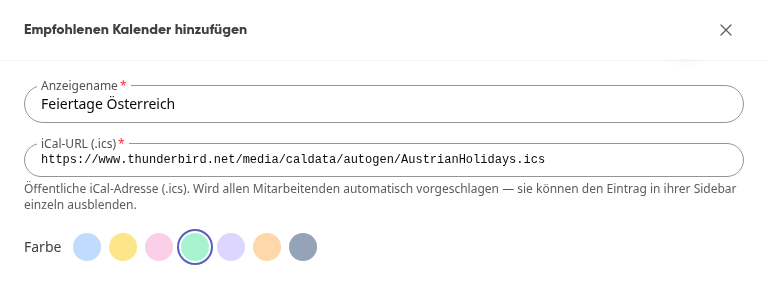
Click on Add.
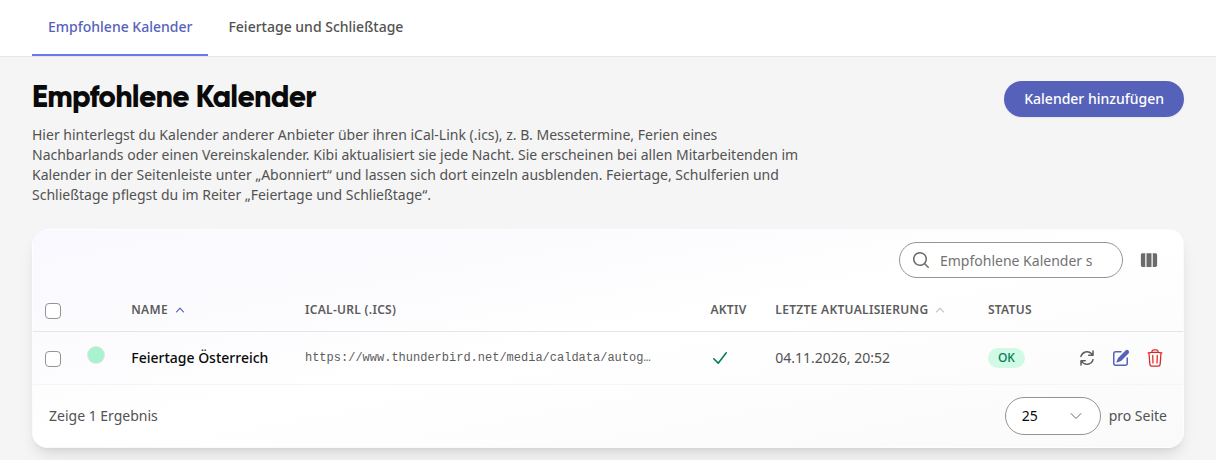
Kibi loads the calendar immediately and then again every night. In the list, you can see when it was last updated and whether it was successful (Status OK or Error).
How Employees See It#
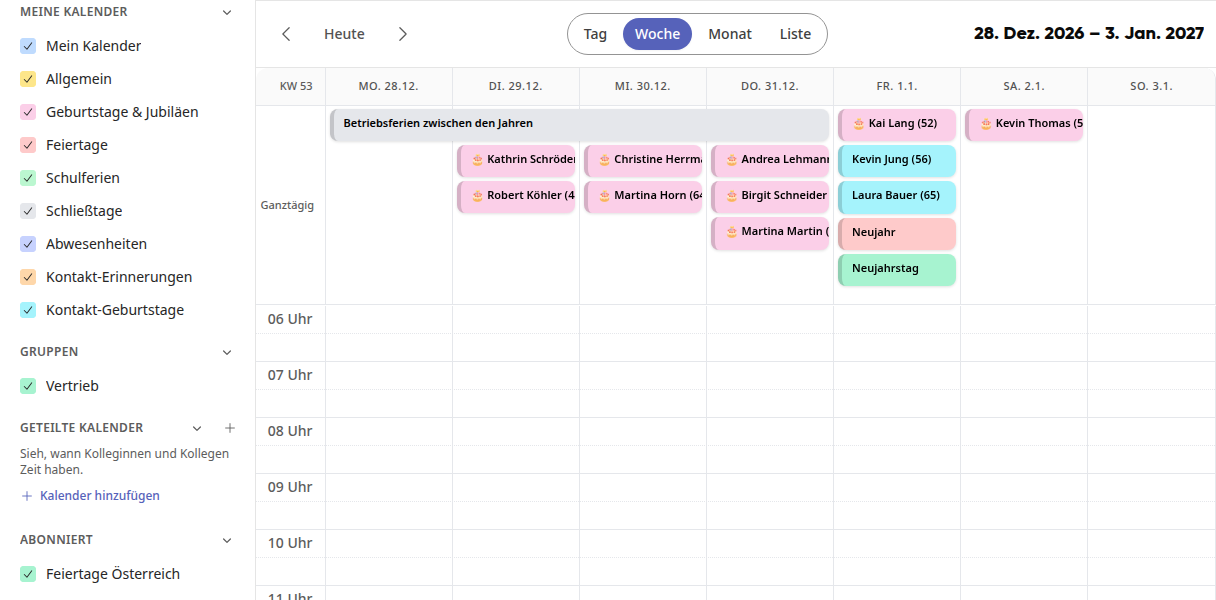
The calendar appears for everyone in the Calendar in the sidebar under Subscribed. Each person can hide it there using a checkmark.
Edit, Update, or Remove a Recommended Calendar#
In the list, there are three icons to the right of each entry:
Update Now (arrows) reloads the calendar immediately instead of waiting until night.
Edit (pencil) opens the entry. There you can change the name, link, and color. If you turn off Active, the calendar will no longer be loaded and will disappear from the employees' sidebars, but it will remain in your list.
Delete (trash can) removes the entry from the sidebars of all employees. This does not change anything with the calendar provider.
Tipp
You do not need to store statutory holidays, school holidays, and company holidays as an iCal link. You maintain these directly in the Holidays and Closing Days tab.