
Tasks
Updated Reading time: 1 min
In the Tasks module, you record what needs to be done, assign it to colleagues, and see the progress on a board. You can work alone or collaboratively in a group, with each group having its own board. Recurring tasks, such as review deadlines, can be automatically recreated. The module is available to all employees.
When you open a task, the description appears on the left with attachments below it and the Activity section with the tabs Comments, History, and All; in groups with task time tracking, there is also a Time tab. On the right, in a narrow column, you will find the status and properties such as assignees, priority, and due date.
Instructions#
Tasks
- How do I create a task and assign it? You create a task with all the details or enter it directly into a column with one click. Then you assign it to yourself or to colleagues.
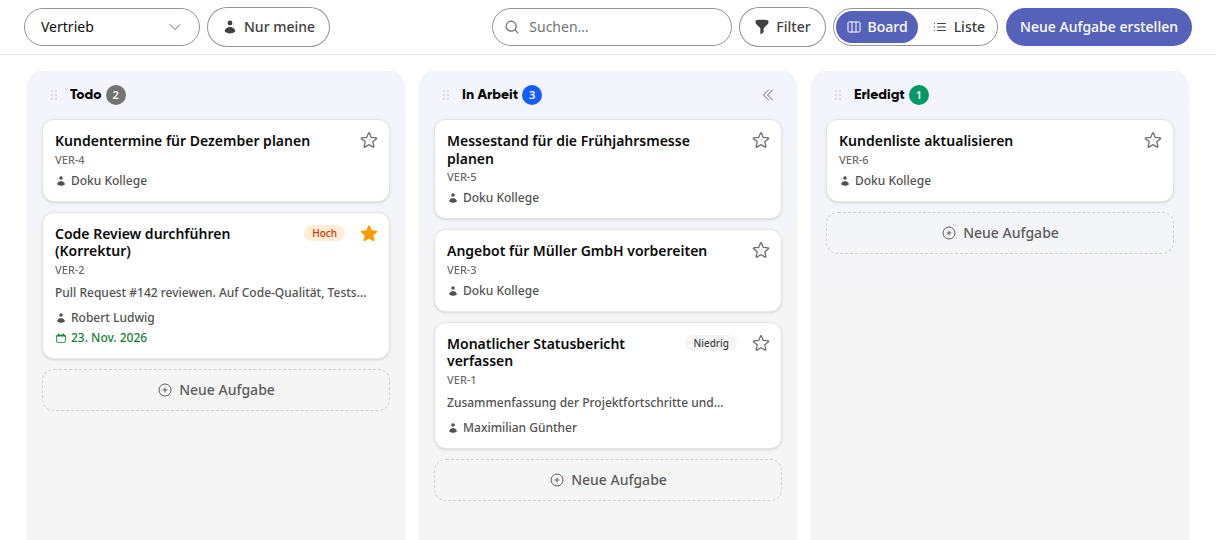
- How do I organize tasks on boards? On the board, you see your tasks as cards in columns like Todo, In Progress, and Done. By moving them, you show how far along a task is.
- How do I track time on tasks? You book directly on a task how long you worked on it. This way you can see how much time has already been spent and how much of the planned time is still re…
- How do I create my own views and share them? With your own view, you can put together a board exactly how you need it: with your own columns, fixed filters, and your display. You save the view, access i…