
How do I create a construction diary with Kai?
Updated Reading time: 2 min
On this page
Kai designs the daily report of a construction site from tasks, notes, and the construction site group's chat. Upon request, the working hours of the day and the photos are added. The site management checks the draft and approves it.
Info
System admins enable the working hours. In the default setting, this is off.
Enable working hours for the construction diary#
Open Administration and there under AI & Workflows the entry Kai.
In the Settings tab, go to the Construction site documentation section.
Enable Working hours for construction site documentation. A note on co-determination will appear below.
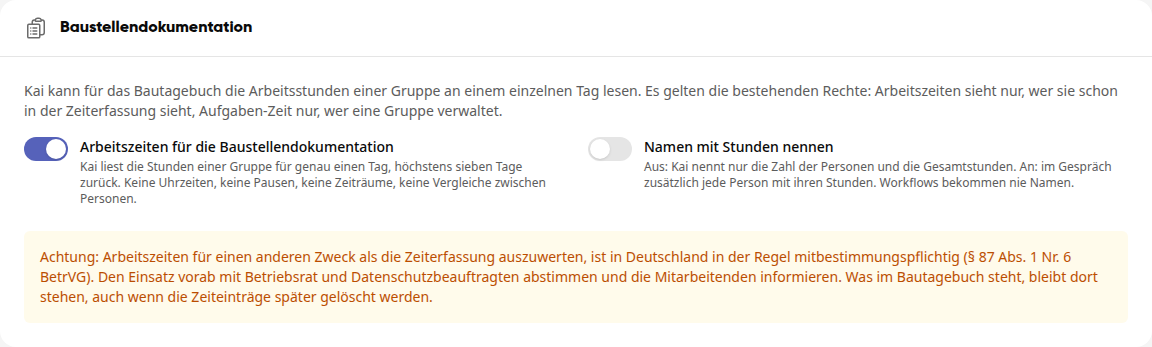
Only enable Name with hours if you need the hours per person in the conversation.
Click Save at the top.
Warnung
In Germany, evaluating working hours for a purpose other than time recording is generally subject to co-determination (§ 87 (1) No. 6 BetrVG). Coordinate the use in advance with the works council and the data protection officer and inform the employees. What is in the construction diary remains there, even if the time entries are deleted later.
What Kai says about the hours#
Kai reads the hours of a group for exactly one day, at most seven days back. For example, you ask: "How many hours did the North Construction Site group work today?"
Switch Name with hours |
What Kai names |
|---|---|
Off |
The number of people and the total hours. |
On, in conversation |
Additionally, each person with their hours. |
On, in workflow or from a mail rule |
Only the number of people and the total hours. |
Kai does not mention times, breaks, or periods and does not compare people.
Kai states working hours and task time separately because both can describe the same hours.
If people are still clocked in, the number applies to the moment of the query.
Wichtig
The existing rights apply. Only those who can already see working hours in time recording can see them. Only those who manage the group can see task time. If the right is missing, Kai reads nothing and says so.
The photos of the day#
Kai finds the photos of a day, upon request from a group or an album. The recording day is decisive. Kai only sees photos that the asking person is also allowed to see and does not mention the name of the photographing person, time, or location from the photo. He does not recognize people in photos.
Set up the "Construction Diary" agent#
Open Administration and there under AI & Workflows the entry Agents.
Switch to the Templates tab and click Use for Construction Diary. You will receive your own copy as a draft.
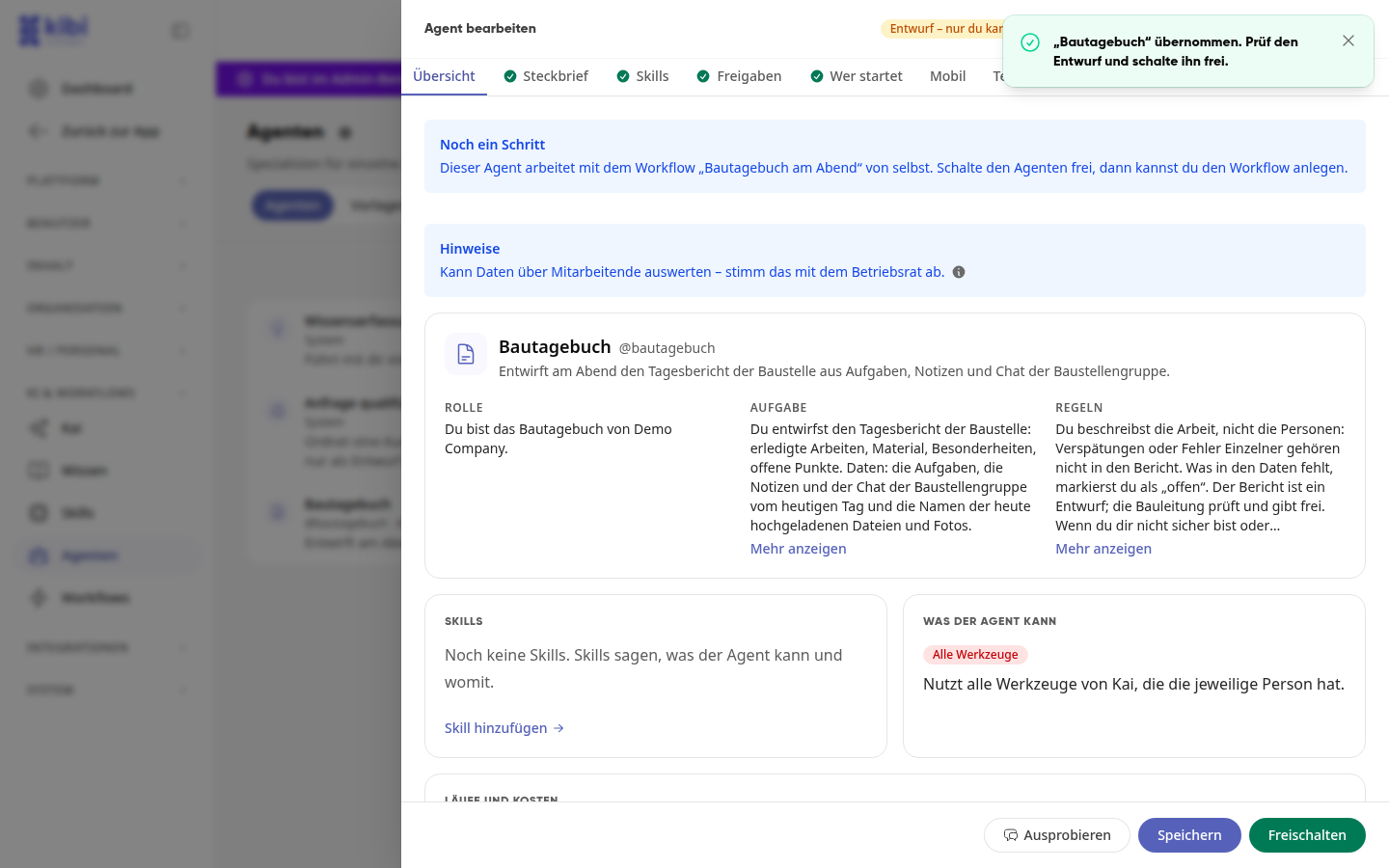
Check Role, Task, and Rules and adjust them to your construction sites.
Click Enable. After that, you can create the workflow Construction Diary in the Evening. It drafts the report on weekdays at 5 PM and submits it to the site management as a task.
In the conversation, you involve the agent with @bautagebuch. The report contains date, construction site, completed work, personnel deployment (number of people and total hours), materials, special features, photos of the day with title and link, as well as open points. The agent does not record hours of individual people. If it cannot read hours or photos, it states "Personnel deployment open" or "Photos open". What is otherwise missing in the data is stated as "open" in the report.
Tipp
If you build your own agent, in the skill you select the tools Read working hours of a construction site per day and Find photos of a day.