
How do I rename, merge, or delete CRM tags?
Updated Reading time: 2 min
On this page
Over time, similar tags such as "Trade Fair 2026" and "Trade Fair Visit 2026" are created in the CRM. In the administration, you clean them up in one place: You rename tags, merge duplicates, and delete tags that no one needs anymore. Every change applies immediately to all contacts and companies.
Info
This function is available to system admins.
Open tag management#
Open the Administration.
Expand Organization on the left and click on CRM.
Scroll all the way down to the Tags card.
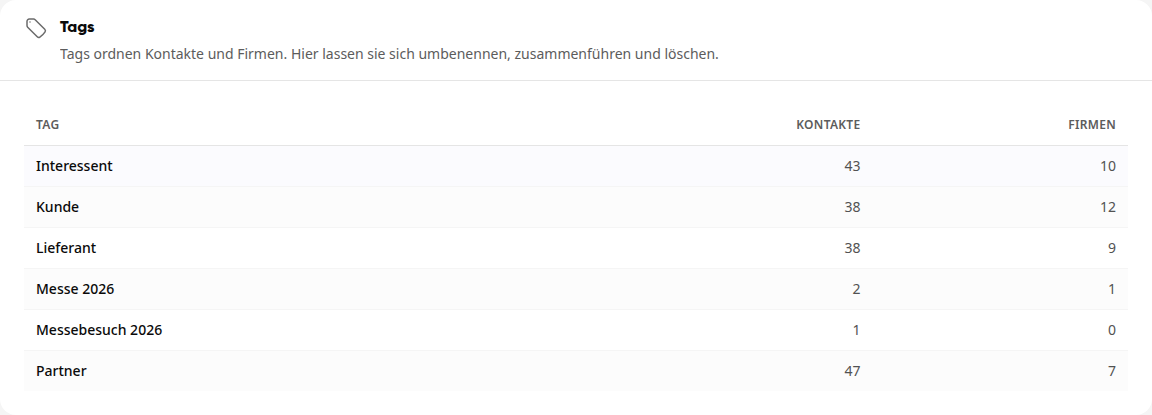
The table shows each CRM tag and how many contacts and companies carry it. From eight tags onward, a search field appears above the table. Click on a row to open the tag.
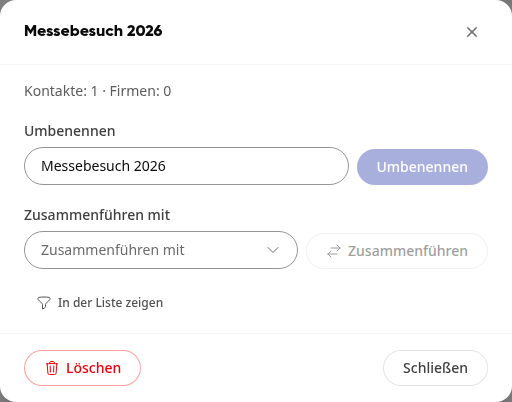
Rename tag#
Click on the tag in the table.
Under Rename, overwrite the name.
Click on Rename. The platform reports "Tag renamed", and all contacts and companies carry the new name.
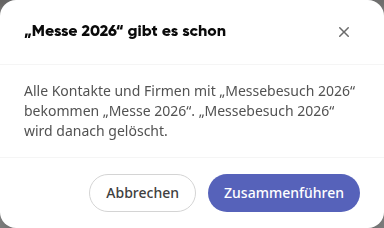
If the new name already exists as a tag, the platform reports this and offers to merge the two tags. Click on Merge to do this, or on Cancel to choose a different name.
Merge tags#
Click on the tag in the table that should be removed.
Under Merge with, select the tag that should remain.
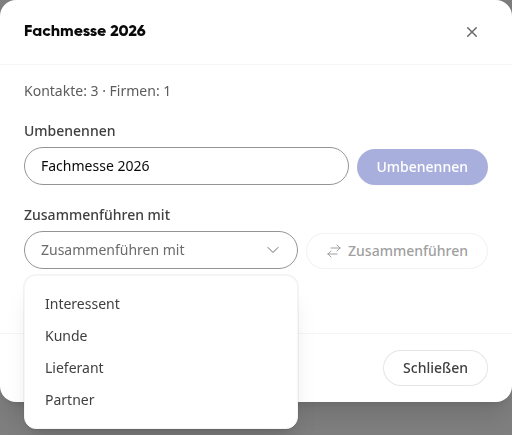
Click on Merge.
Confirm with Merge. The platform reports "Tags merged".
All contacts and companies with the first tag receive the selected tag, and the first tag is then deleted.
Delete tag#
Click on the tag in the table.
Click on Delete at the bottom left.
Confirm with Delete tag.
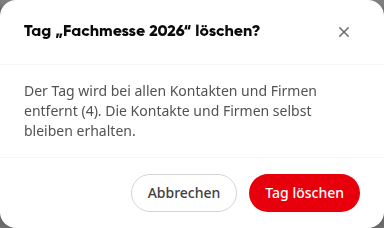
The tag is removed from all contacts and companies. The contacts and companies themselves are retained.
Tip
With Show in list you jump directly from the opened tag into the CRM, filtered to all contacts and companies with this tag. This way you can see who is affected before deleting.