
How do I open a menu link in Kibi?
Updated Reading time: 2 min
A menu link takes you directly from the menu to a website, for example to a site plan, a booking portal, or a form from your company. If the Open in Kibi option is enabled for the link, the website appears within the platform, and you do not need to leave Kibi Connect for it.
Info
The administration can store menu links for everyone in the standard menu. However, you can also add your own links to your personal menu. A menu link does not grant you any additional rights: whether you see something on the website is decided by the website itself.
Open menu link#
Click on the name of the link in the menu on the left, for example Site plan.
The website opens in the content area. The line above it shows the name of the link.
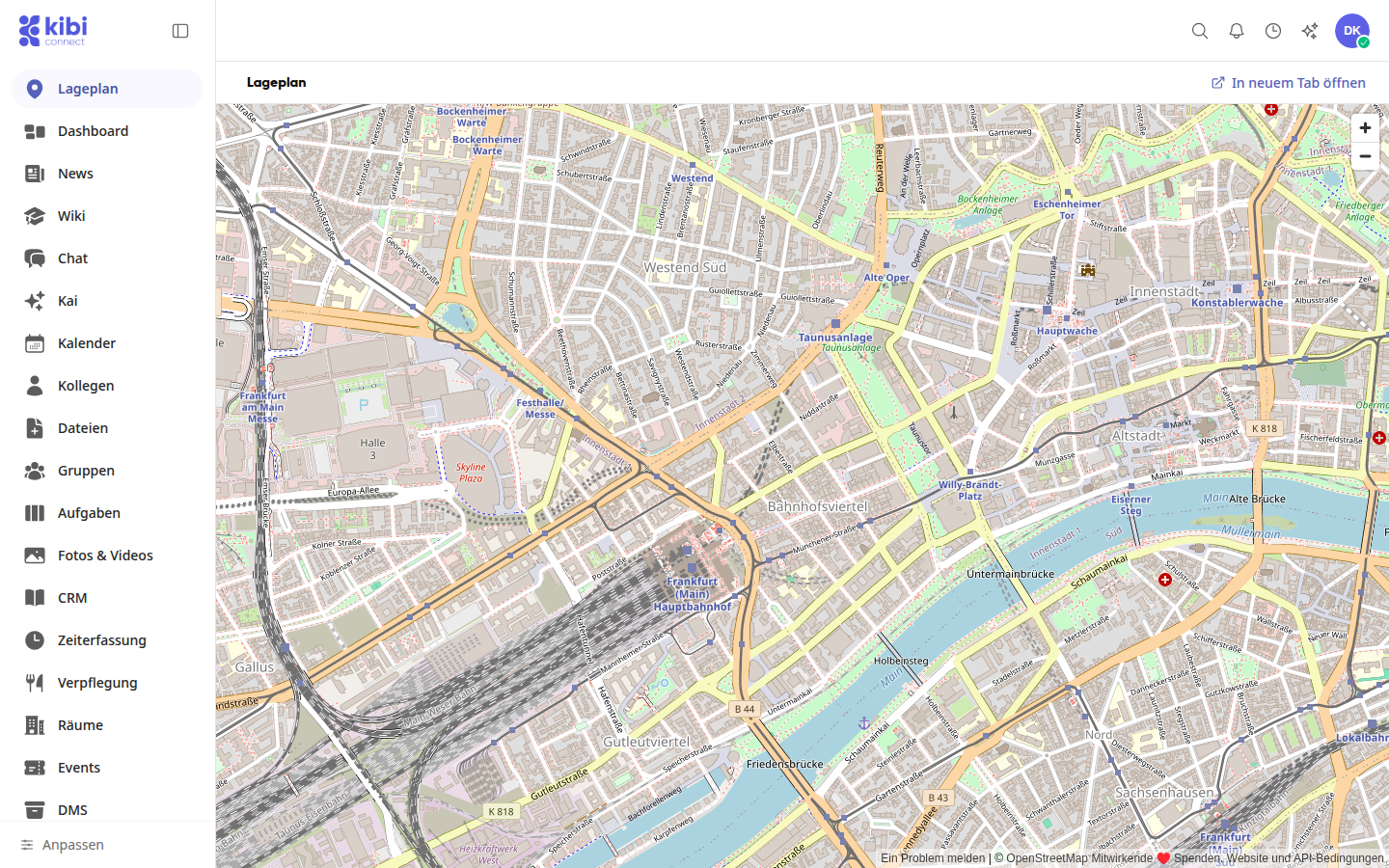
If you prefer to use the website in a separate browser tab, click on Open in new tab at the top right.
Tip
If the area remains empty, the website does not allow display within other pages. Then open it via Open in new tab.
Links for which Open in Kibi is disabled open immediately in a new tab when clicked in the menu.
Create your own menu link#
Click on Customize in the menu at the bottom. The Customize menu window opens.
Click on Add entry below the list and then on Link under New in menu.
Paste the address of the website under Address. The platform checks the website and adopts the name and icon if it finds any.
Adjust the Name in menu if necessary.
Turn on Open in Kibi so that the website appears within the platform. If the website does not allow this, the platform will notify you; in that case, it is better to open it in a new tab.
Under Icon, select the website's icon, an icon from the selection, or your own image.
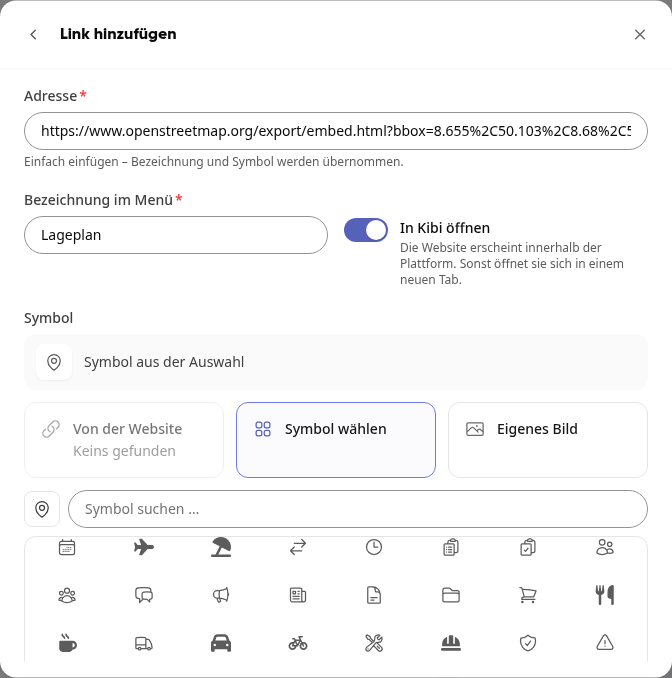
Click on Add. The link is now in your menu.
To remove your own link again, open Customize and click on the minus sign in its row. Confirm with Delete. The website itself remains unaffected. You can only remove a link from the standard menu from your menu, but you cannot change it.
If the link cannot be opened#
If you access a menu link via a saved address that is no longer in your menu, This page is not available appears. This happens, for example, if you deleted the link or the administration removed it from the standard menu.