
How do I record relationships between contacts and companies?
Updated Reading time: 2 min
In the CRM, you record who works with whom: which planning office plans for a client, through which dealer a company procures, or which service provider they use. The relationship appears on both sides, each from their own perspective.
Add relationship#
Open a company or a contact in the CRM.
Click on the Relationships tab and then on Add relationship.
Under Relationship, select how the two relate to each other, for example "is a service provider for" or "uses service provider". Each relationship exists in both directions.
Under Contact or company, search for the other party and select it.
If needed, add a note, for example the project or the time period.
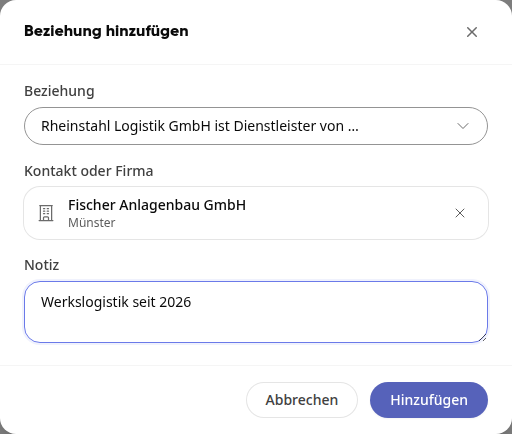
Click on Add. The message Relationship added confirms this.
Info
You can create a relationship if you are allowed to edit at least one of the two parties, for example a company that you created yourself. Otherwise, the message "You do not have permission for this relationship." appears.
Viewing Relationships#
In the Relationships tab, relationships are grouped by their type, such as "is a service provider for". Under each entry, the location or company and the note are shown. Clicking an entry opens the company or contact.
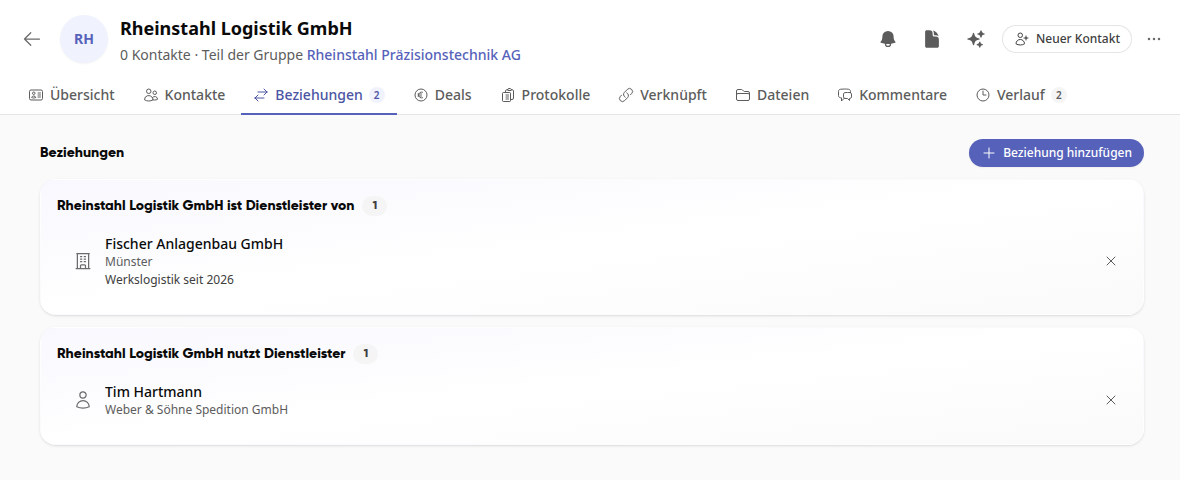
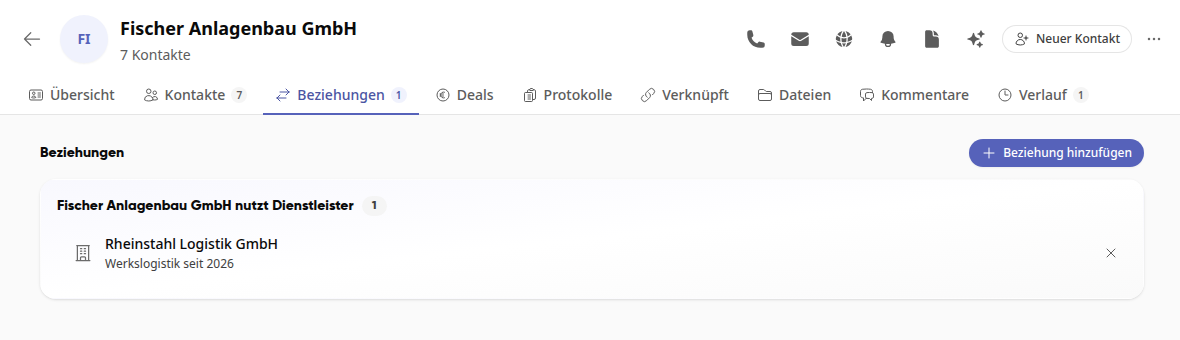
On the other side, the same relationship appears phrased in reverse, for example "uses service provider" here.
Remove relationship#
Click the X next to the relationship. The relationship is removed on both sides without further confirmation; the message Relationship removed confirms this. The company and contact themselves remain unchanged.
Tip
Which types of relationships exist is defined by system administrators in the Administration under Organization › CRM in the Relationship types card. Dealers, planners, and service providers are set up.