
How do I check the status of our subscription?
Updated Reading time: 1 min
On this page
On the Subscriptions & Contracts page, you can see whether your platform has an active subscription and whether the licenses are sufficient. You do not need any special permissions for this.
Info
All employees can access this page. It only displays the status; you cannot place orders or make changes here.
Check status#
Open your platform's address in the browser with /subscription at the end, for example https://your-company.kibi.de/subscription. There is no menu item for this page.
Read the notice under the heading Subscriptions & Contracts.
What the notices mean#
Green notice: The package is active#
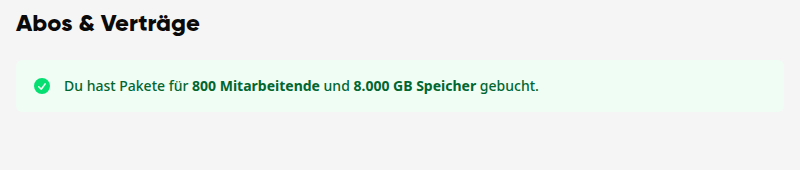
You have booked a license package. The notice states how many employees it covers and how much storage is included. You do not need to do anything.
Red notice: Licenses missing#
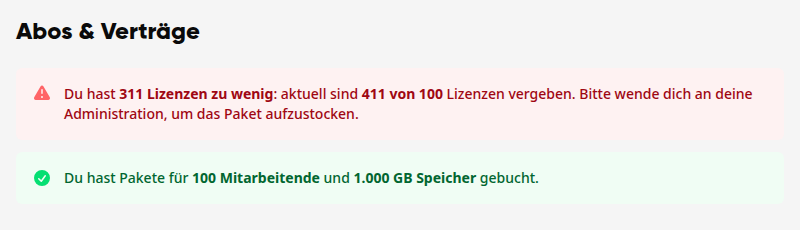
More employees are using the platform than the package covers. The notice states how many licenses are missing. Below it, the booked package is still displayed.
Orange notice: Trial phase without tariff#
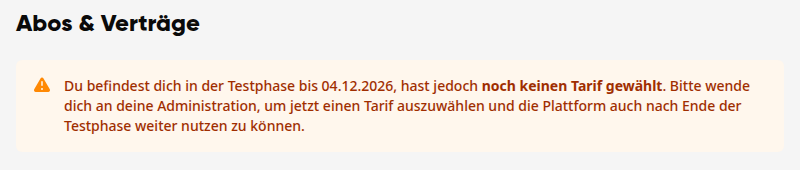
Your platform is in the trial phase, and no tariff has been selected yet. The notice states the end date of the trial phase.
Orange notice: No active subscription#
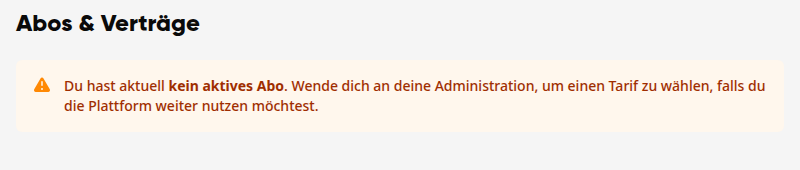
The trial phase is over, and no package has been booked.
What you can do#
If you see a red or orange notice, contact your administration. They can select or upgrade a package.
Tipp
Are you a system administrator? Then you can find the same notices with the appropriate button, such as Select package, under Administration → System → Subscriptions & Contracts.