
How do I set up the REST API and document format?
Updated Reading time: 3 min
On this page
On the API page in the administration, you specify whether external applications can access Kibi Connect via the REST API, who is allowed to create tokens, and in which file format new empty documents are created.
Info
These settings are available to system administrators.
Open the "API" page#
Open the administration and select API from the menu under Integrations.
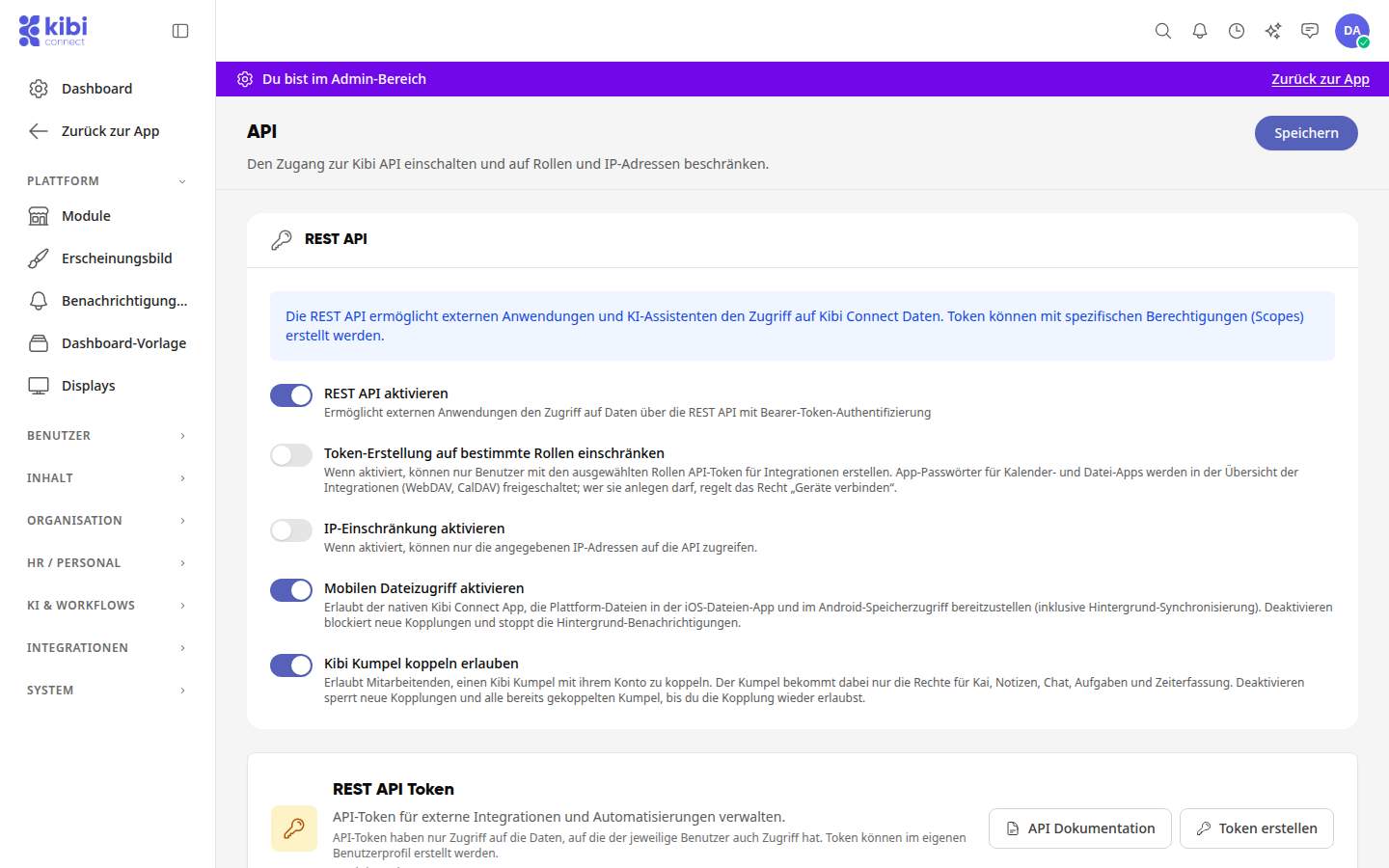
Enable REST API#
Enable Enable REST API. Additional settings will then appear.
If needed, specify who can create tokens and from where the API can be accessed. The switches are explained below.
Click Save in the top right. The button will then display Saved.
Tip
The Save button applies to the entire page. If you change the REST API and the document format, one click is sufficient for both.
Info
The button in the top right displays Save as long as there are unsaved changes, and Saved afterward. If you want to leave the page before saving, the platform will ask Discard changes?: With Continue editing, you stay on the page; with Discard, the changes are lost.
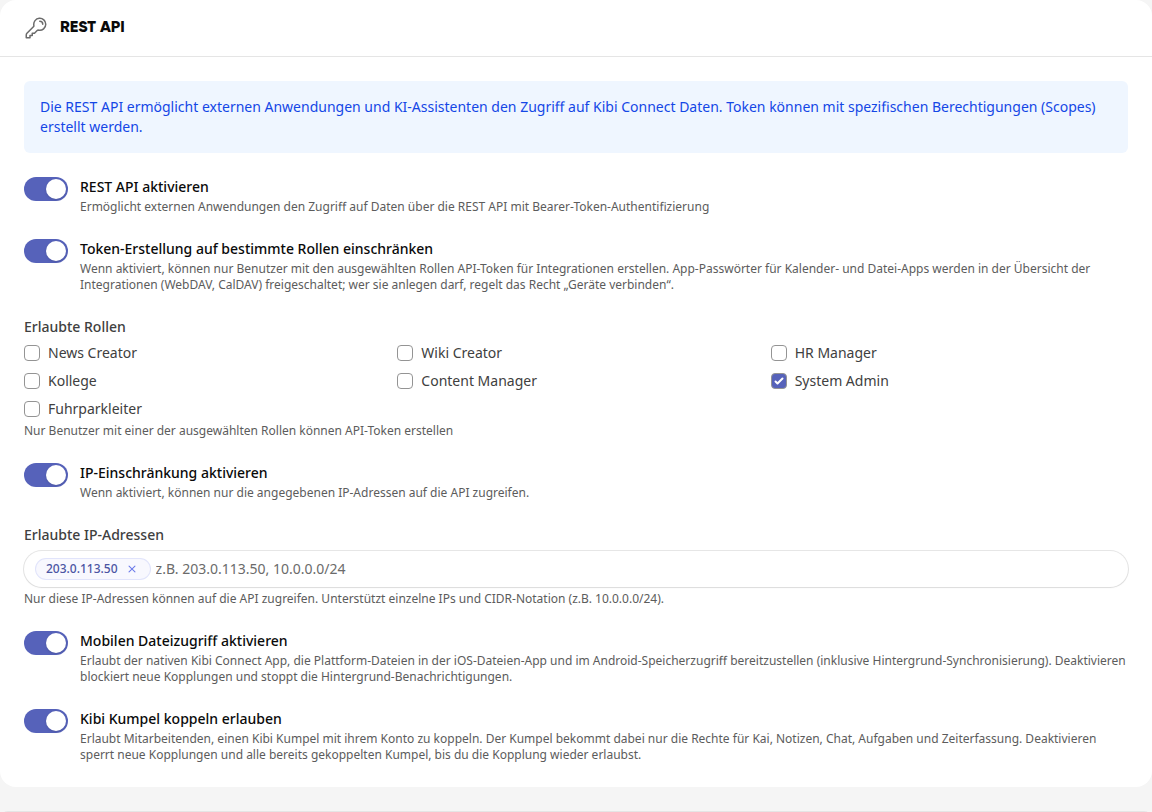
The additional switches in the REST API section:
-
Restrict token creation to specific roles: Under Allowed Roles, select the roles. Only users with one of these roles can then create API tokens.
-
Enable IP restriction: Under Allowed IP Addresses, enter the addresses that are allowed to access the API, and confirm each with the Enter key. Individual IP addresses and ranges in CIDR notation are possible, for example, 10.0.0.0/24.
-
Enable mobile file access: Allows the Kibi Connect app to display the platform's files in the iOS Files app and Android storage access, including background synchronization. If you disable it, no new connections will be possible, and background notifications will stop.
-
Allow Kibi Kumpel coupling: Allows employees to couple a Kibi Kumpel with their account. The Kumpel only gets rights for Kai, notes, chat, tasks, and time tracking. If you disable it, new couplings and all already coupled Kumpels are blocked until you allow coupling again.
Warning
If IP restriction is active, only requests from the entered addresses will get through. Check the list before saving to ensure existing integrations continue to work.
Info
If you allow tokens only for specific roles, this affects API tokens for integrations. App passwords for calendar and file apps (CalDAV, WebDAV) are enabled in the integrations overview; who can create them is controlled by the Connect devices permission.
Keep an eye on API tokens#
When the API is enabled, the REST API Tokens card shows how many active tokens there are. A token only has access to the data that the person who created it also has access to.

-
API Documentation opens the description of all interfaces.
-
Create Token takes you to your own profile, to the tab with the integrations. There you create a token.
Set default format for new documents#
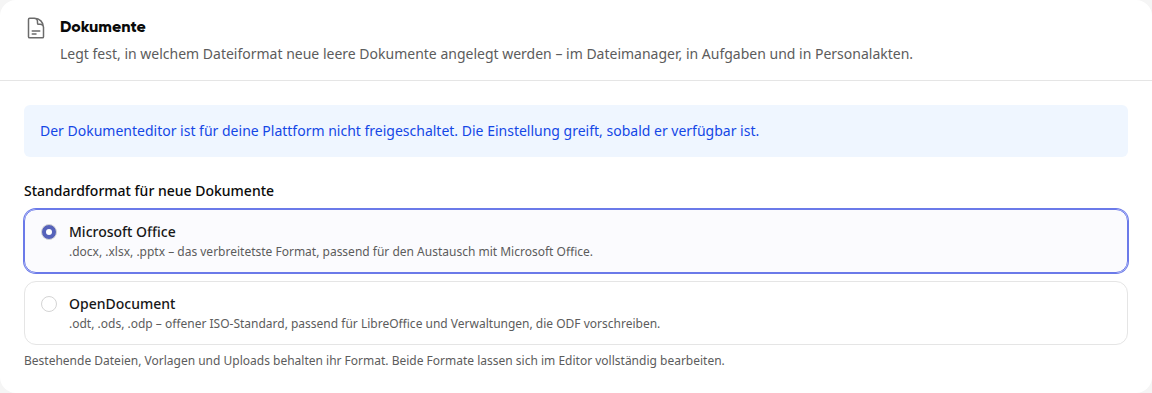
In the Documents section, you choose the format in which new empty documents are created: in the file manager, in tasks, and in personnel files.
The available options are:
-
Microsoft Office: .docx, .xlsx, .pptx, suitable for exchange with Microsoft Office.
-
OpenDocument: .odt, .ods, .odp, the open ISO standard, suitable for LibreOffice and administrations that require ODF.
Under Default format for new documents, select the desired format.
Click Save in the top right.
Info
Existing files, templates, and uploads retain their format. If the document editor for your platform is not yet enabled, the section will display a notice; the setting will take effect as soon as the editor is available.