
How do I create a new document or text file?
Updated Reading time: 2 min
You can create a new document directly in any folder where you have permission to save files—for example, a text document, a spreadsheet, or a simple text file (.txt). The document will open immediately in the platform's editor; you don’t need to upload anything.
Create a blank document#
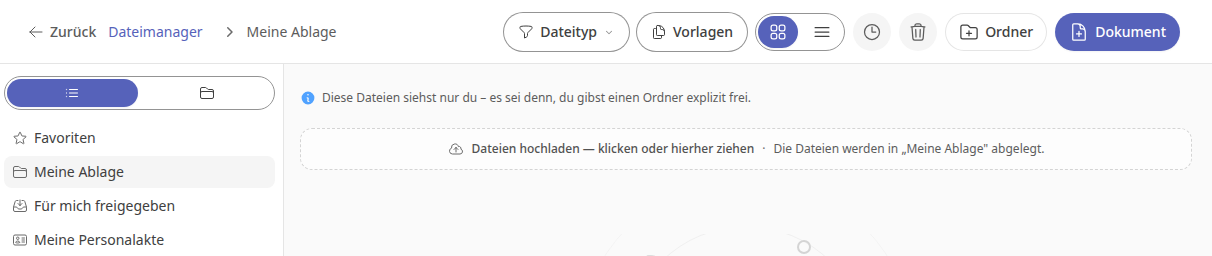
In Files, open the folder where you want to save the document, for example My Storage.
Click Document in the top right.
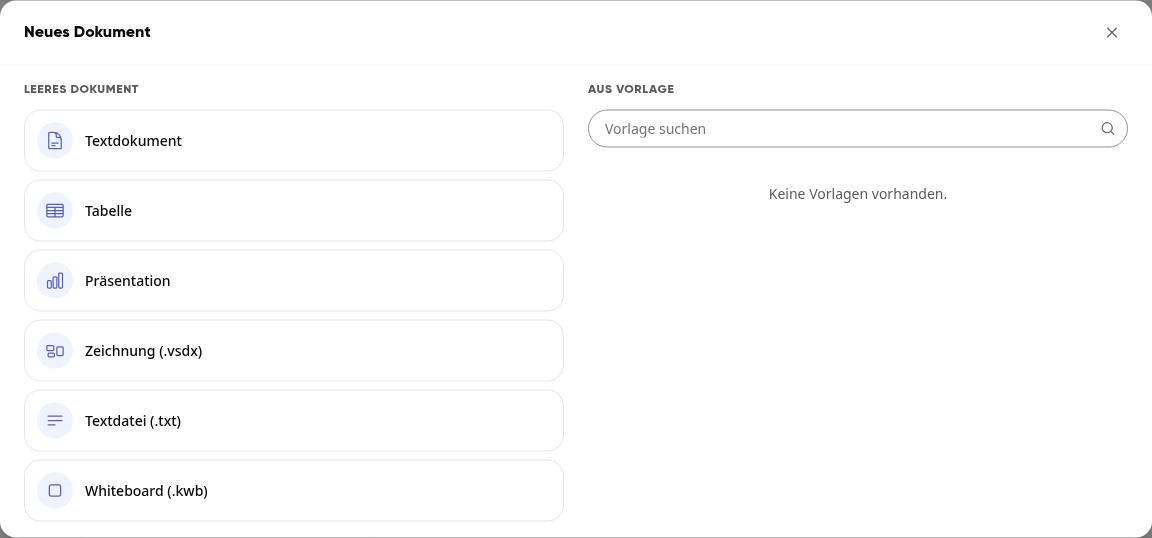
In the New Document window, under Blank Document, select the type:
Text document for letters, reports, and other formatted text
Spreadsheet for lists and calculations
Presentation for slides
Drawing (.vsdx) for diagrams
Text file (.txt) for plain text without formatting
Whiteboard (.kwb) for a free drawing area
The new document is created in the current folder and opens directly in the editor. The name includes the date and time, for example “New Document 2026-11-10 20:54.txt”.
Info
Whether a text document, spreadsheet, or presentation is created in Microsoft Office format (e.g., .docx) or OpenDocument format (e.g., .odt) is determined by your administration.
Write a text file (.txt)#
A text file is suitable for short notes, lists, or text that needs to be shared without formatting, such as with other programs.
In the New Document window, select Text file (.txt).
Write your text in the editor. Kibi Connect saves automatically—you’ll see Saved in the top right.
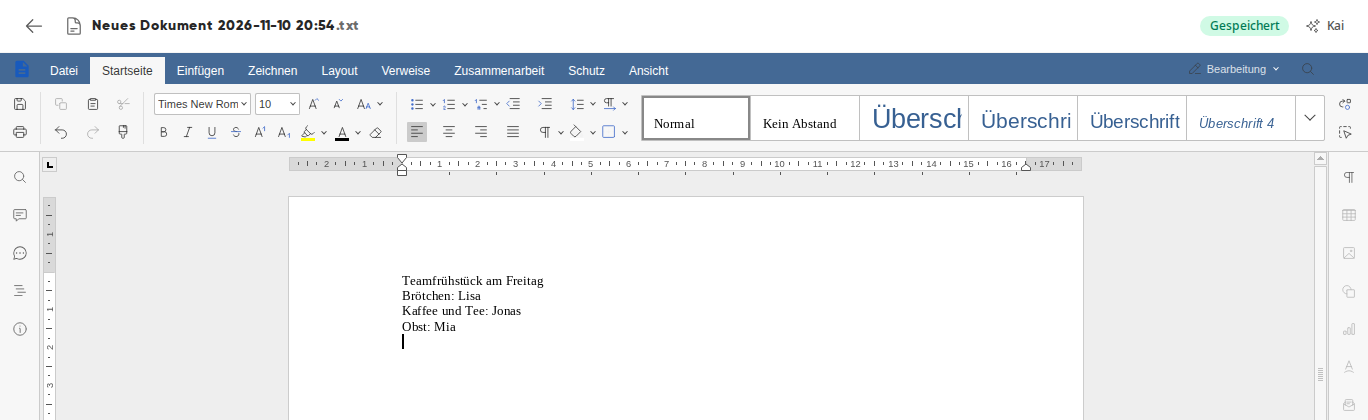
Click the arrow in the top left to return to the folder. The file will be there with the .txt extension.
To edit the file later, open it with a click and select Edit in the preview.
Tipp
After creating the file, give it a suitable name. For instructions, see How do I rename or delete files?
Wichtig
A text file only saves plain text. Bold, colors, headings, or images are lost when saving. If you need formatting, use a text document.
Create a document from a template#
On the right side of the New Document window, under From Template, you’ll find the templates you’re allowed to use. Select one, and Kibi Connect will create a new document from it in the current folder. For more information, see How do I use templates?
Info
You can only create a new document in folders where you have permission to save files.