
How do I find and start a course in the training offer?
Updated Reading time: 1 min
In the training catalog of the Academy, you will find all courses that you can take voluntarily and without assignment. You start a course with a click and later continue it under My Trainings.
Start a course in the training catalog#
Open Academy in the left navigation. You will land on My Trainings.
Click on Training Catalog in the top right.
The courses are sorted by categories. Each card displays the name, a brief description, and the number of sections.
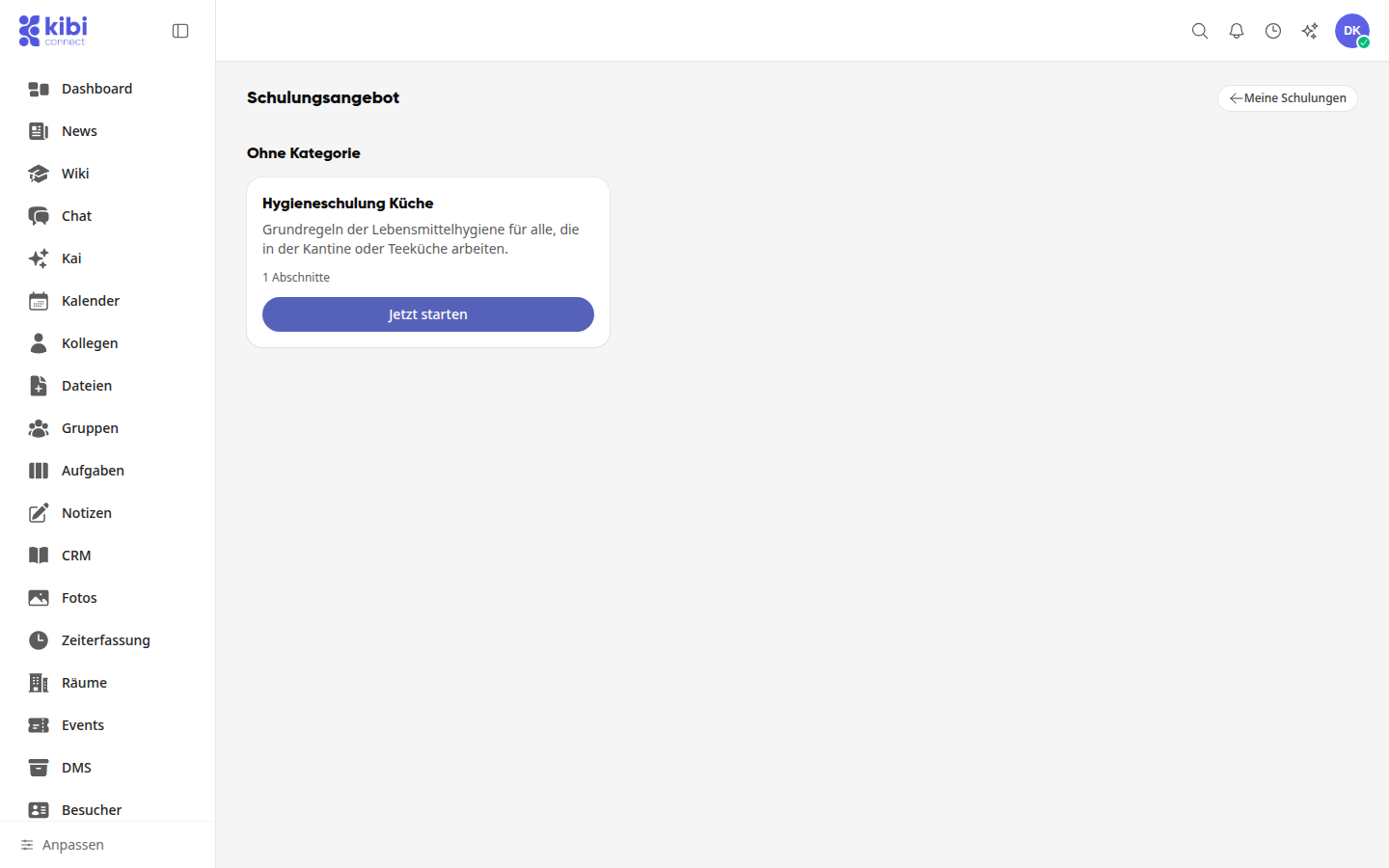
Click Start Now on the desired course.
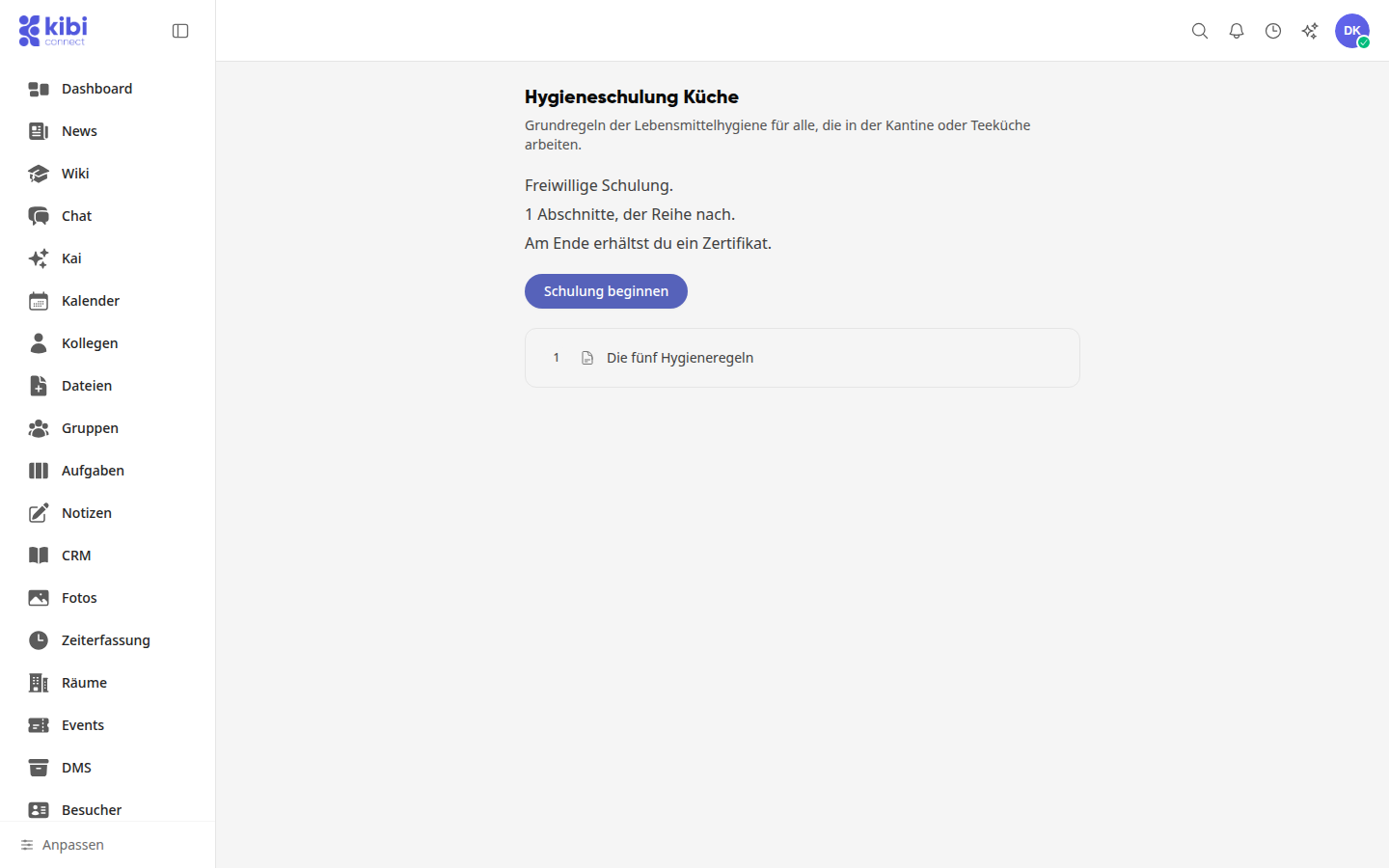
You will see the course's start page: what it is about, whether the training is voluntary, how many sections you will go through in sequence, and whether you will receive a certificate at the end. Click Start Training.
Continue a started course#
Open Academy.
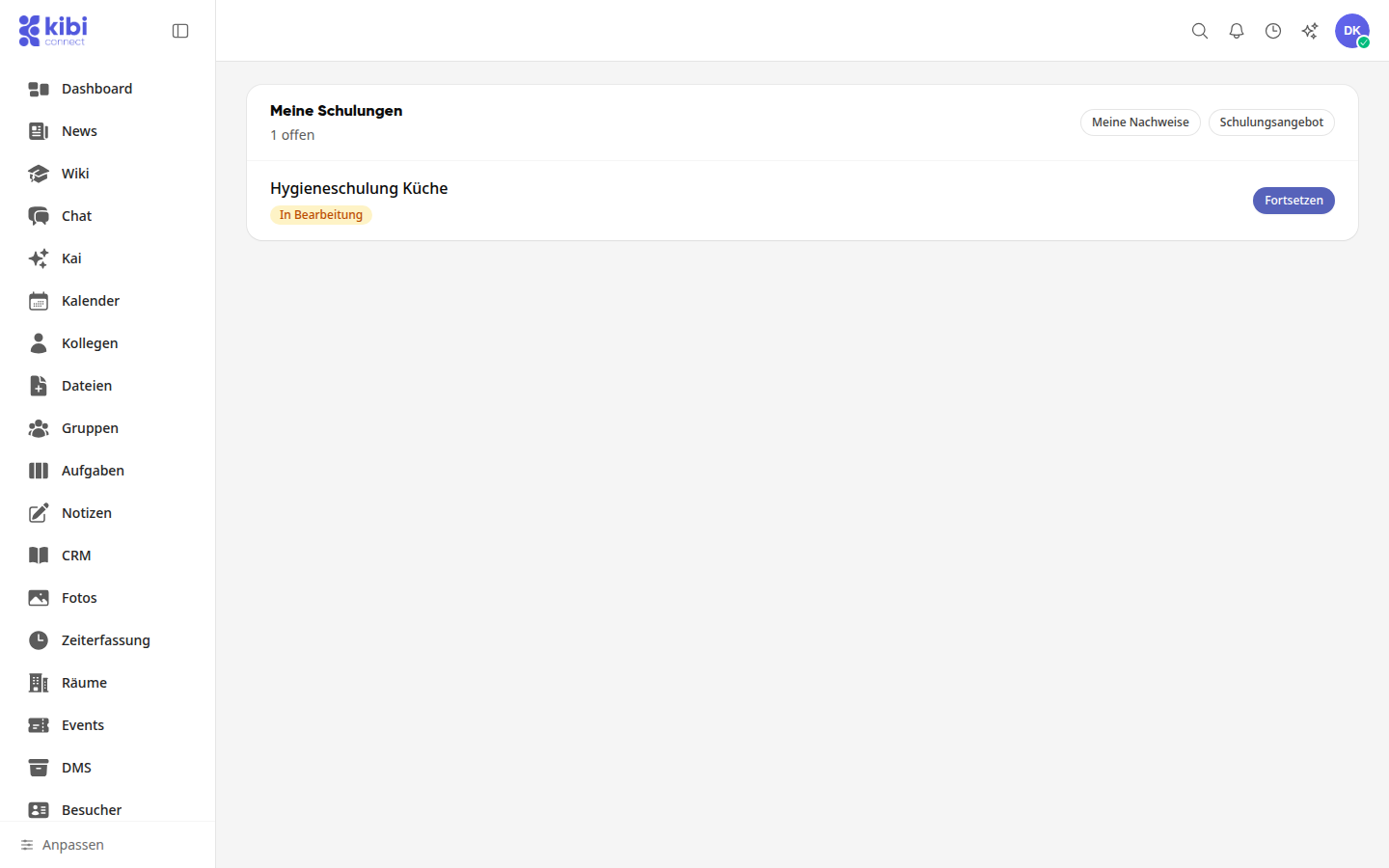
Under My Trainings, the course appears with the status In Progress. Click Continue to resume where you left off.
Info
The training catalog is available to all employees. Content Managers determine which courses appear there. If the catalog is empty, it will display No open offers available at this time.
Tipp
You do not need to search for assigned trainings in the catalog: they appear directly under My Trainings.