
How do I display my pickup code?
Updated Reading time: 1 min
On this page
You use the pickup code to identify yourself at the food distribution. You open it on the platform and hold the QR code in front of the scanner.
Info
This feature is available to all employees.
Open and display pickup code#
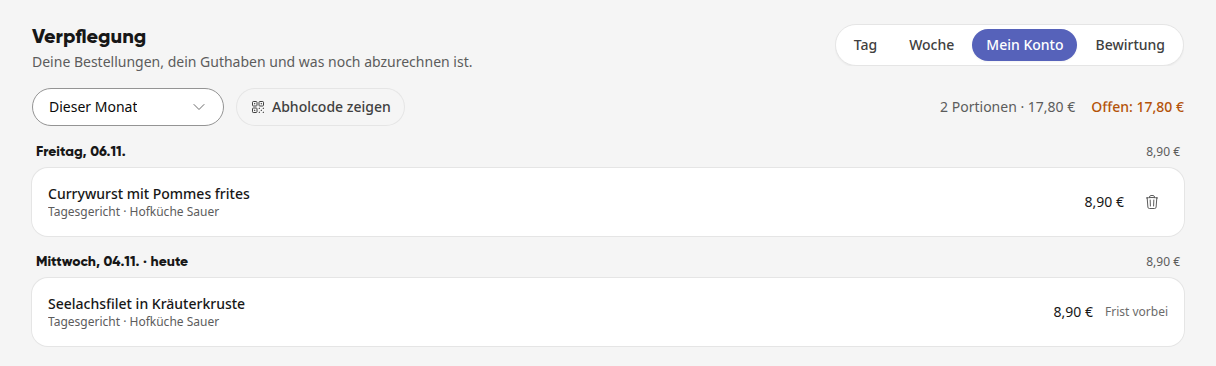
In the navigation, open Catering and switch to the My Account view.
Click on Show pickup code.
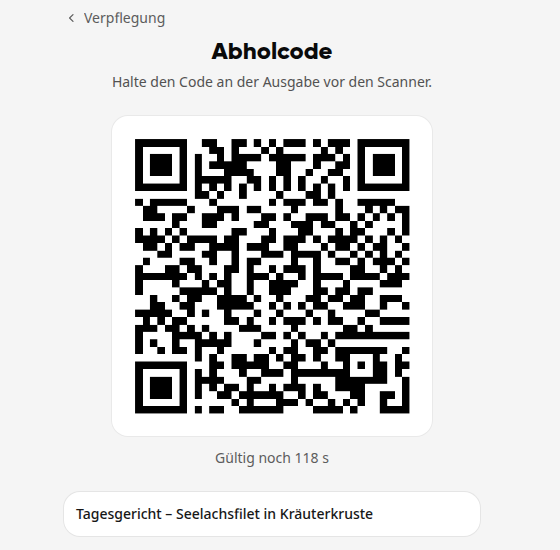
Hold the QR code in front of the scanner at the distribution point. Below the code, you can see your orders for today.
Info
The Show pickup code button only appears on days when you have placed an order.
Tipp
Below the QR code, it shows how long it is still valid, for example "Valid for another 118 s". You don't need to do anything: as long as the page is open, the code renews itself automatically.
See what you have already picked up#
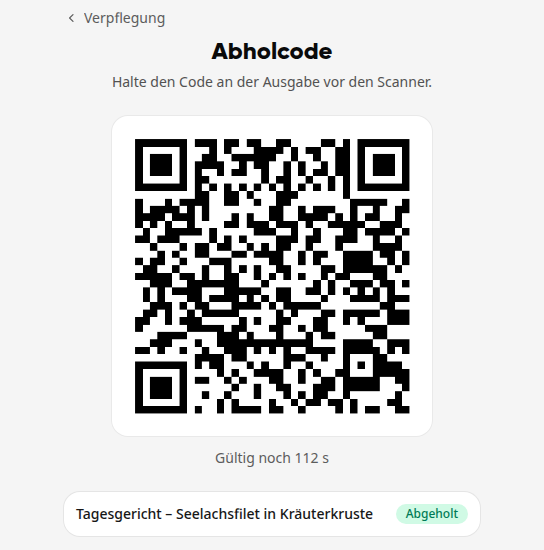
As soon as your food has been distributed, the Picked up note appears next to the dish on the Pickup code page.
If you haven't ordered anything today#
Without an order for today, the Show pickup code button is missing in My Account. If you open the page anyway, e.g., via a saved link, it will say No order today. The QR code will still be displayed if the distribution wants to check.