How do I raffle off a grand prize in the Advent calendar?
Updated Reading time: 2 min
On this page
In addition to the prizes for each individual door, you can raffle off a grand prize for the entire season in the Advent calendar. It is won by whoever has answered the most quiz questions correctly. The daily raffle for each door continues unchanged.
Info
The grand prize is set up by HR managers, system admins, and the approved editors of the Advent calendar.
Setting up the main prize#
Click on your profile picture at the top right and then on Administration.
In the sidebar, under Content, click on Advent calendar. You will land in the Settings tab.
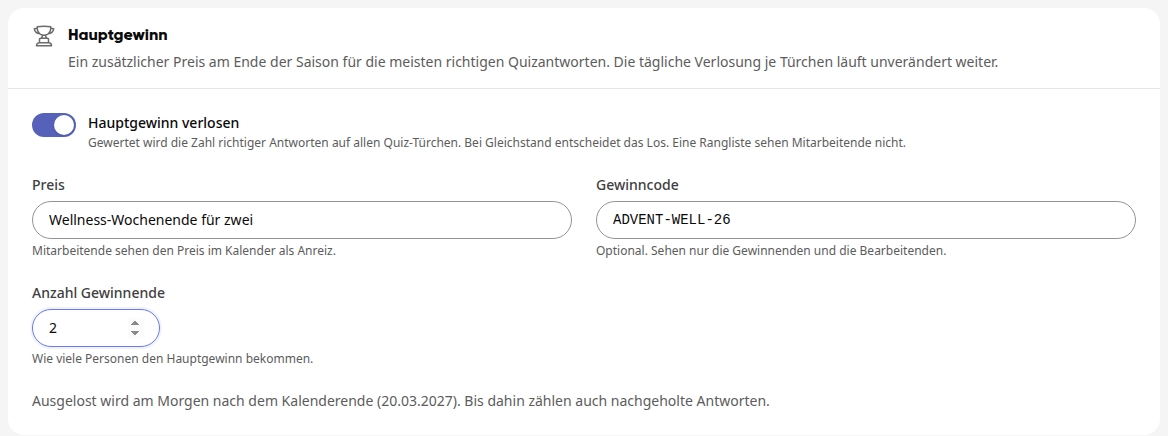
In the Main prize section, turn on the Draw main prize switch. The fields for the prize will appear below it.
Enter the prize, for example "Wellness weekend for two". Employees will see it in the calendar as an incentive.
If needed, enter a win code, such as a voucher code. Only the winners and the administrators will see it.
Under Number of winners, set how many people will receive the main prize (1 to 100).
Click on Save at the top right of the page header. The button will then show Saved again.
Who wins and when the draw takes place#
The number of correct answers on all quiz doors of the season is counted, including quiz questions without their own prize. The people with the most correct answers win; if several have the same number, the draw decides among them.
When the draw takes place depends on the draw mode in the General section. Below the main prize fields, it is shown for your calendar with a date:
Draw mode | The draw takes place | Counted are |
|---|---|---|
Flexible | on the morning after the calendar ends | all correct answers, including those made up later |
Strict | on the morning after the last quiz door | only answers on the day of the door |
Info
Editors of the calendar do not participate in the main prize because they know the solutions. Staff do not see a ranking or a score.
Tip
To make the main prize worthwhile, plan enough quiz doors. They do not need to have their own prize – every correct answer counts.
This is how employees see it#
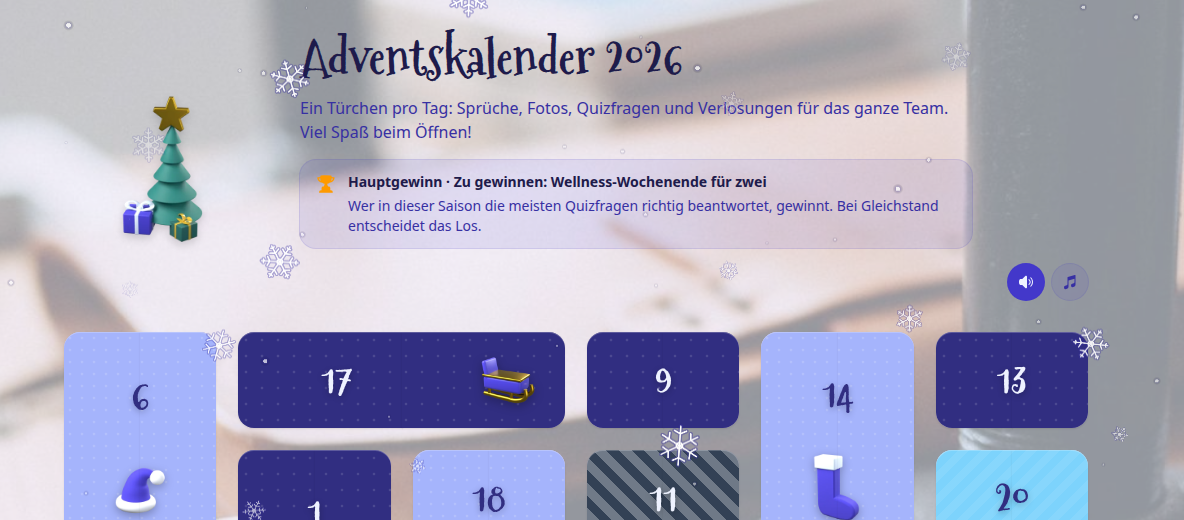
As soon as the main prize is saved, a note with the prize and the rule appears in the calendar below the introduction. In the Strict draw mode, it also states that only answers on the day of the door count.
After the draw, the winners receive a notification with the prize and the number of their correct answers. The calendar's contact person receives a notification with all winners of the main prize.
View winners and hand over prize#
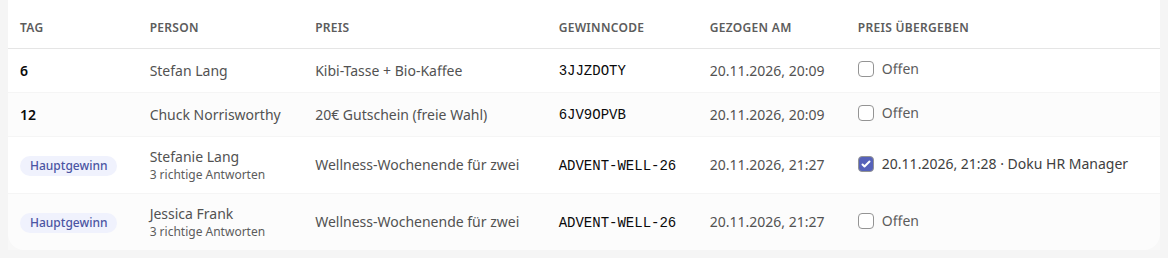
Open the Winners tab. The winners of the main prize are at the end of the list. Instead of a day, they are marked with Main prize, and below the name you can see the number of their correct answers.
Once you have handed over the prize, tick the box in the Prize handed over column. Instead of Open, the date and your name will then appear.
Warning
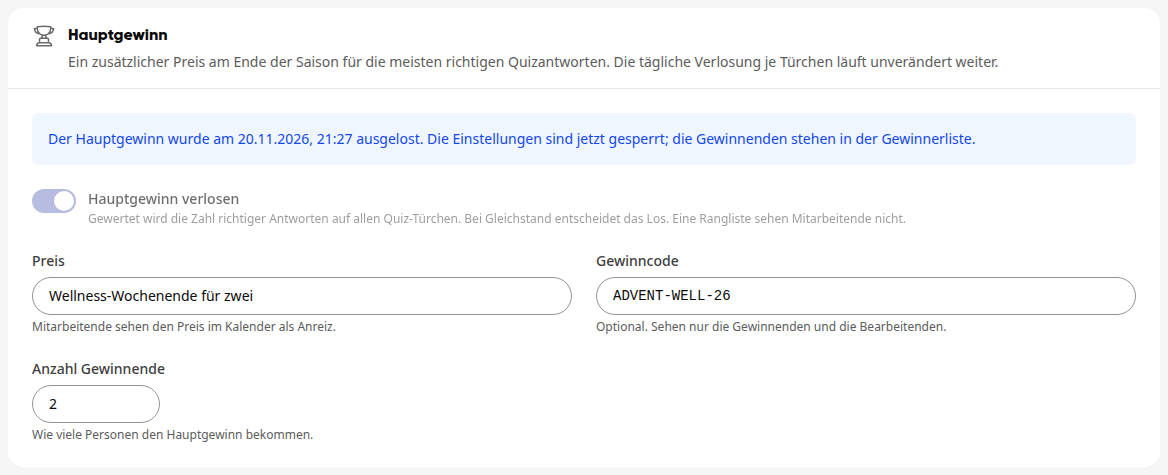
After the draw, the settings for the main prize are locked. The Main prize section will then show when the draw took place. For a new season, you can unlock them again with Restart season; this will also remove the winners of the main prize.